
The free themethat gives Moodlea new shape.
Letstudy replaces the navigation, the dashboard and the look of Moodle and adds the tools that learners, teachers and administrators ask for, while every Moodle page and every plugin keeps working as before.
- Moodle 4.5 LTS to 5.3
- GNU GPL v3
- No licence keys
shapes
Twelve shapes of navigation in one theme
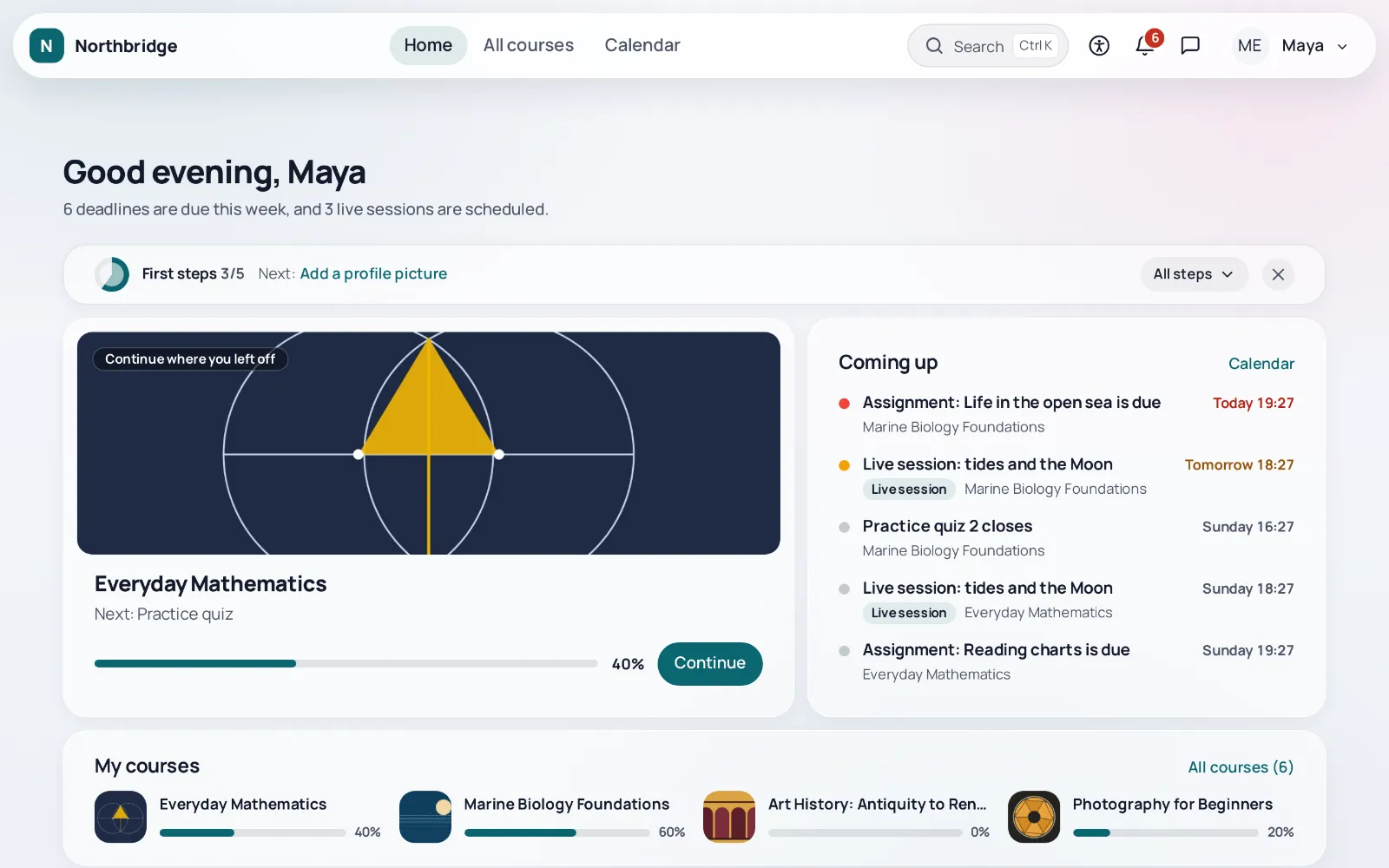
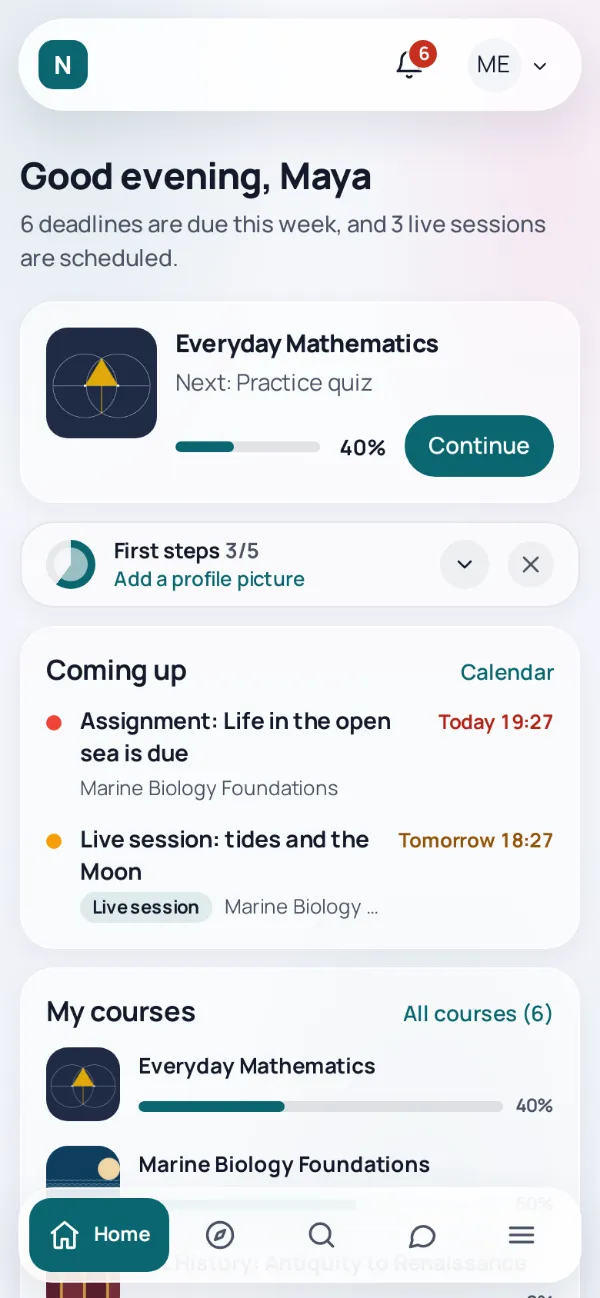
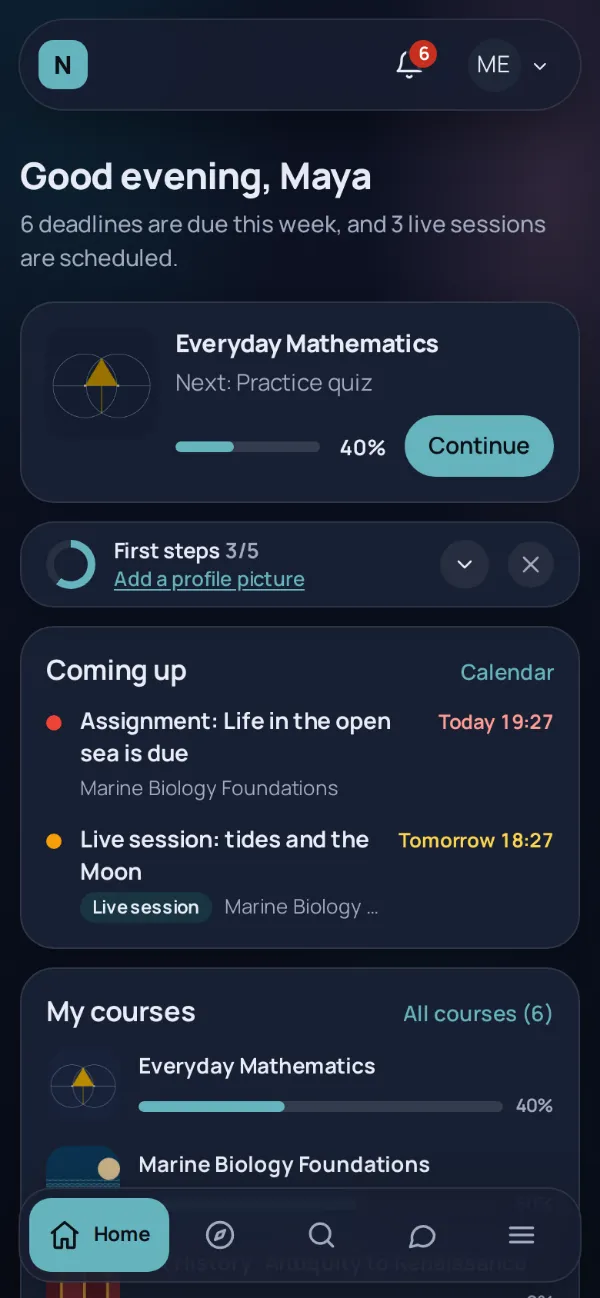
Each shape changes where the navigation lives and what the first screen looks like, for the whole site, a course category or a cohort.
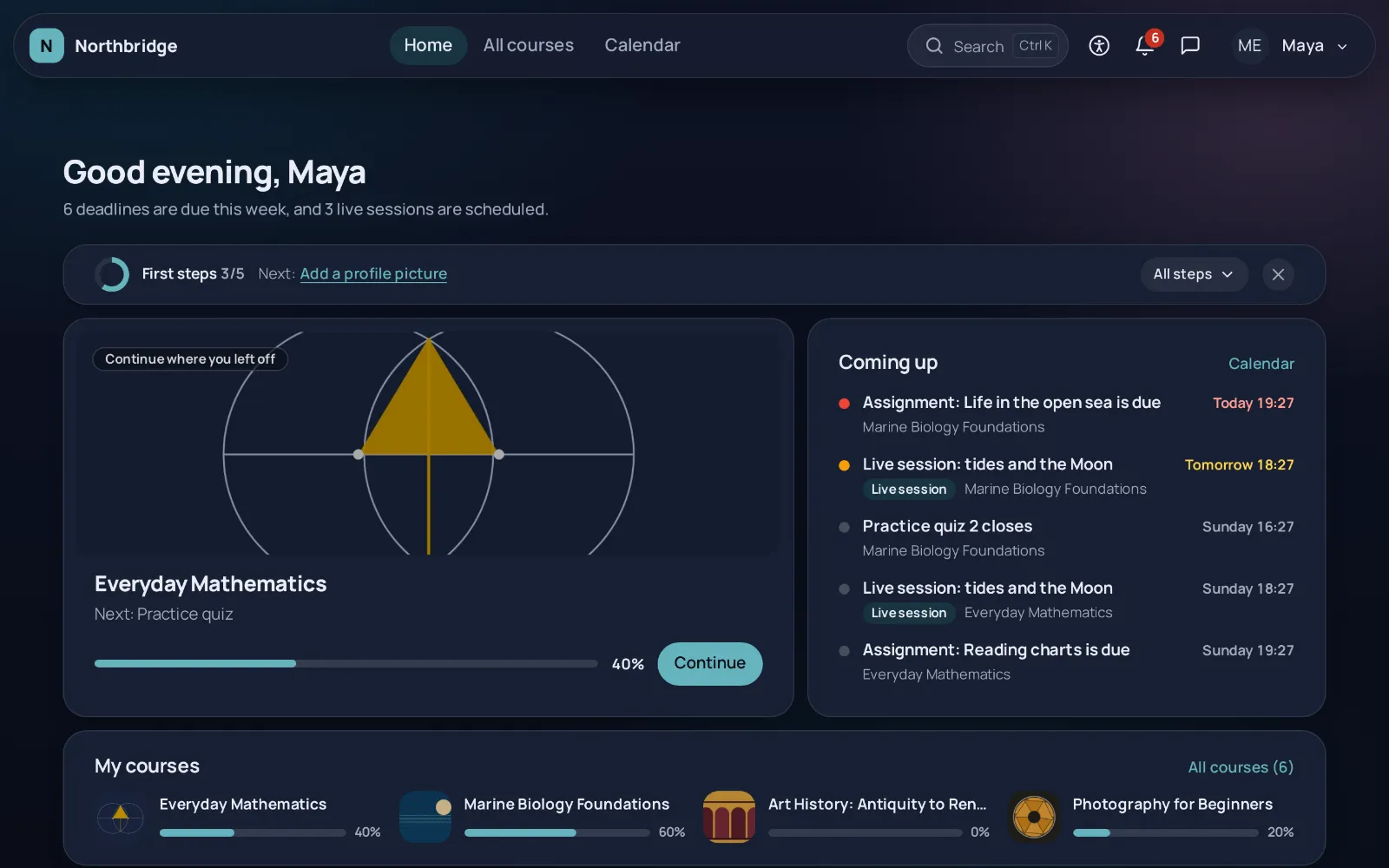
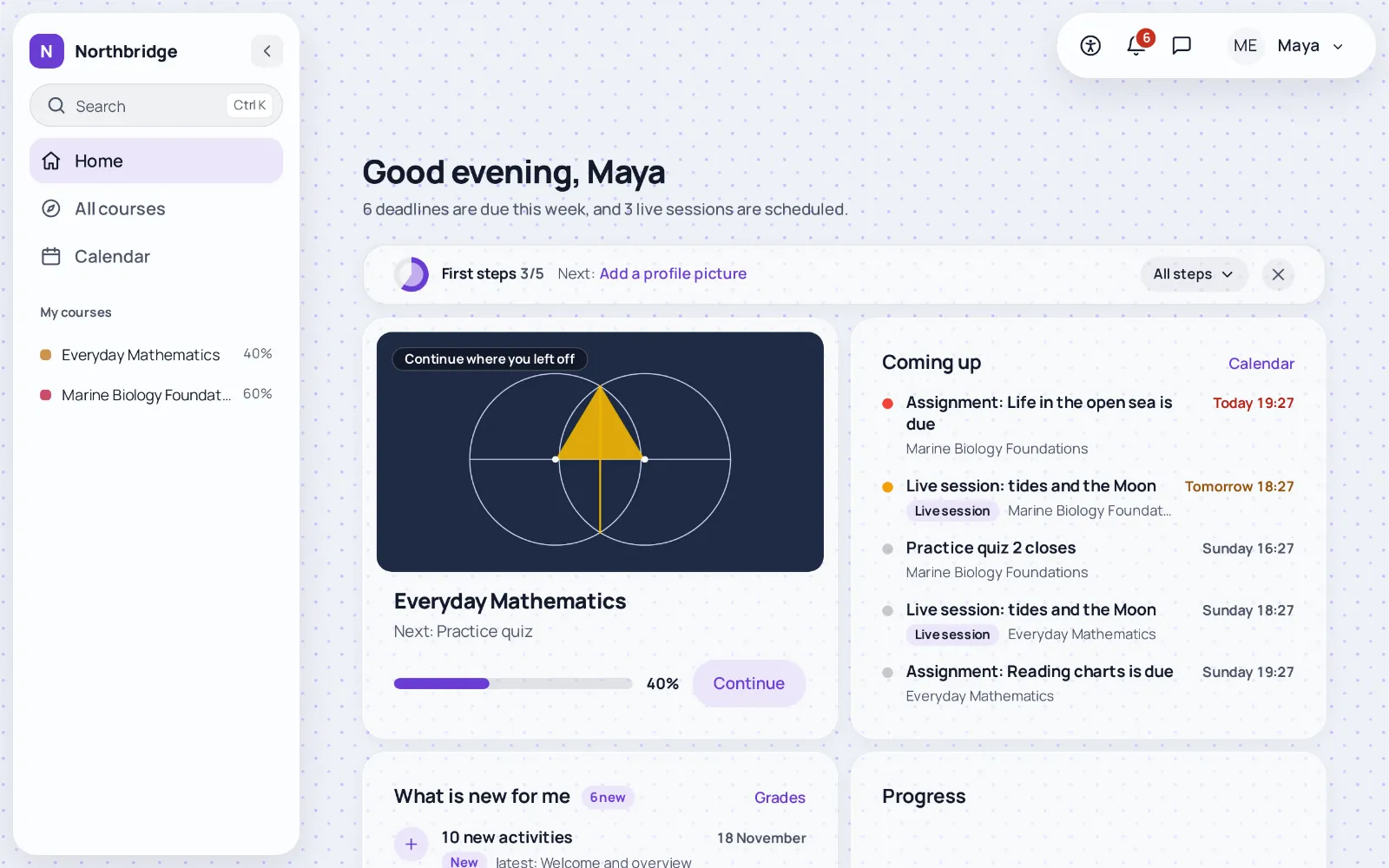
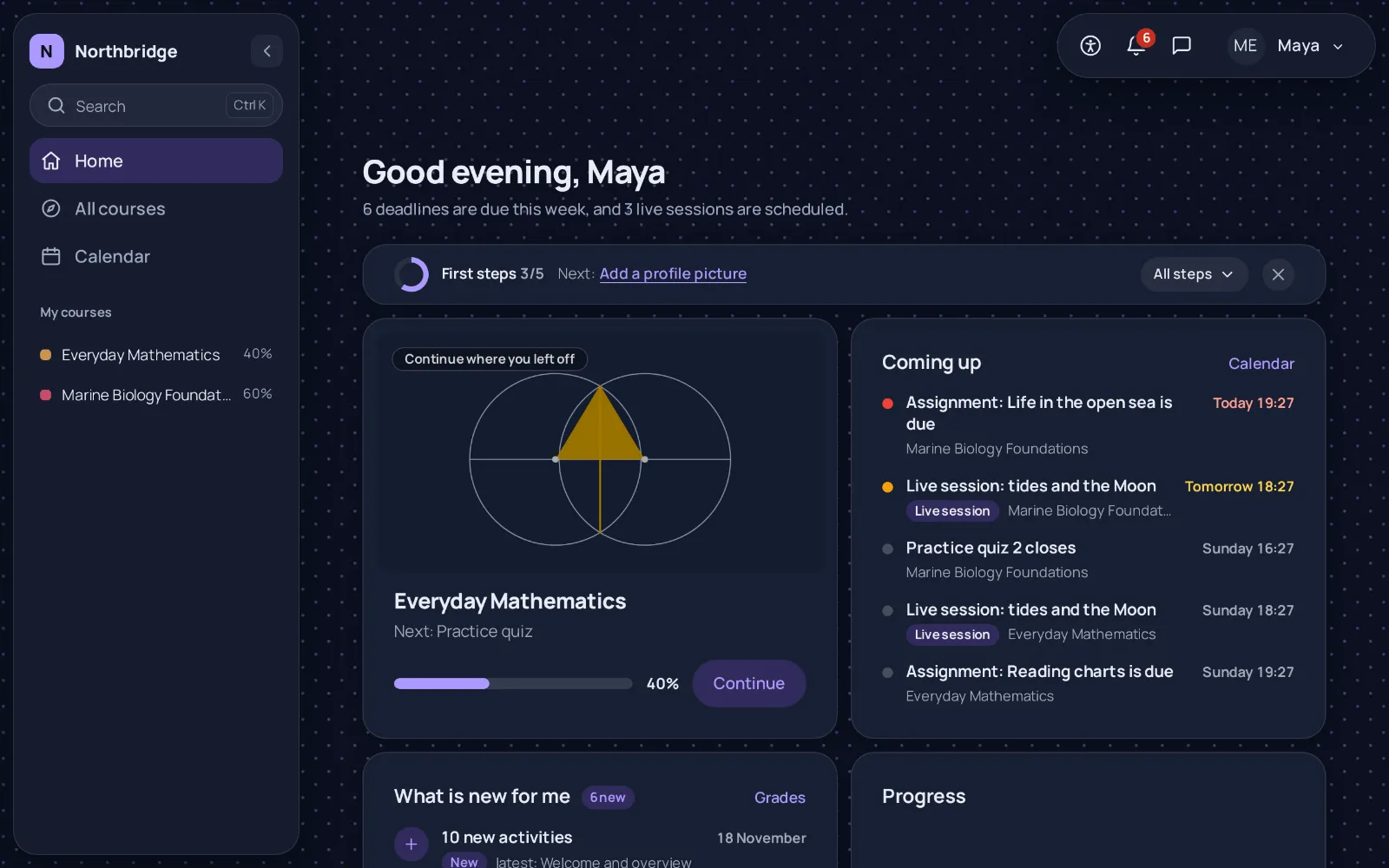
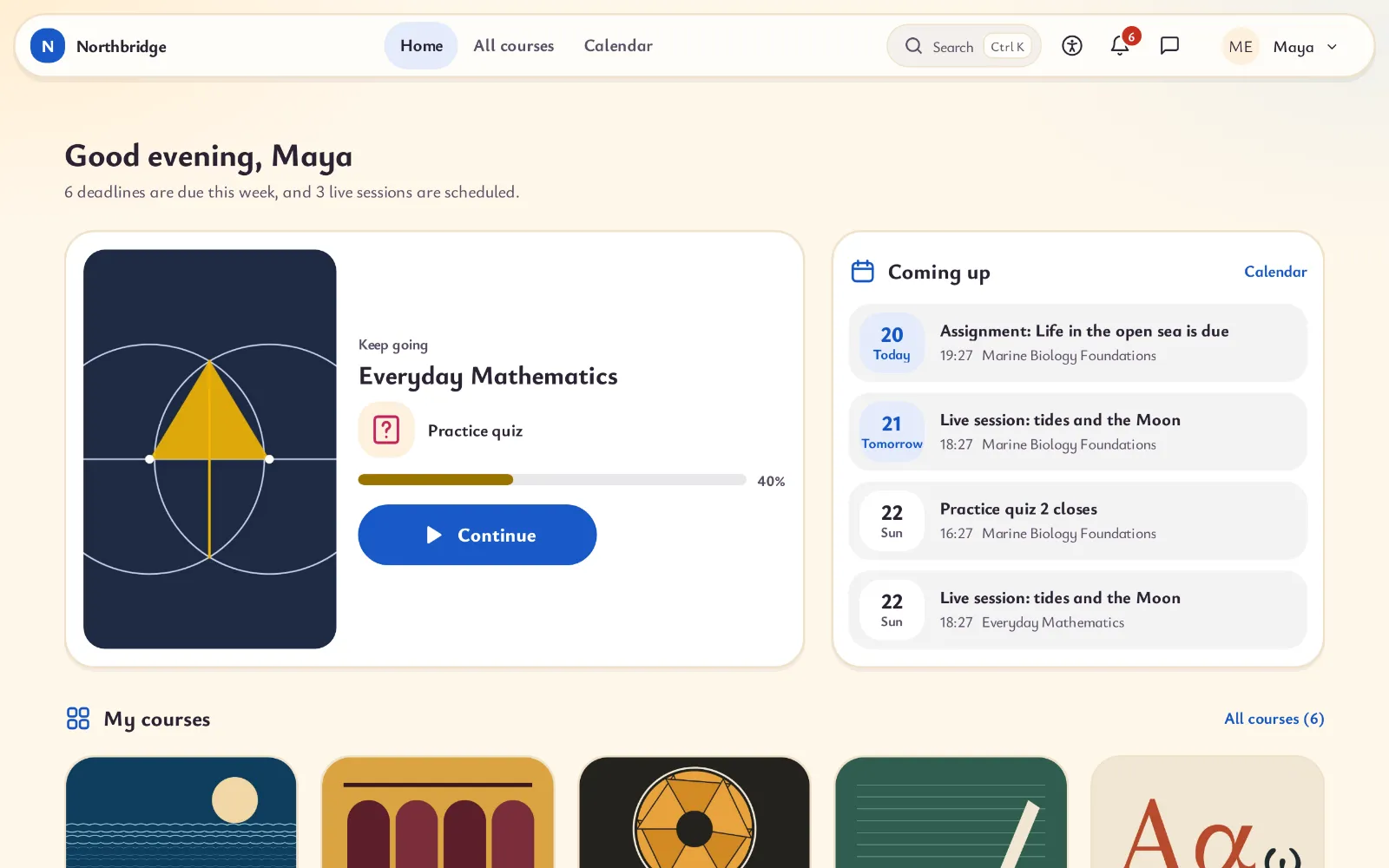
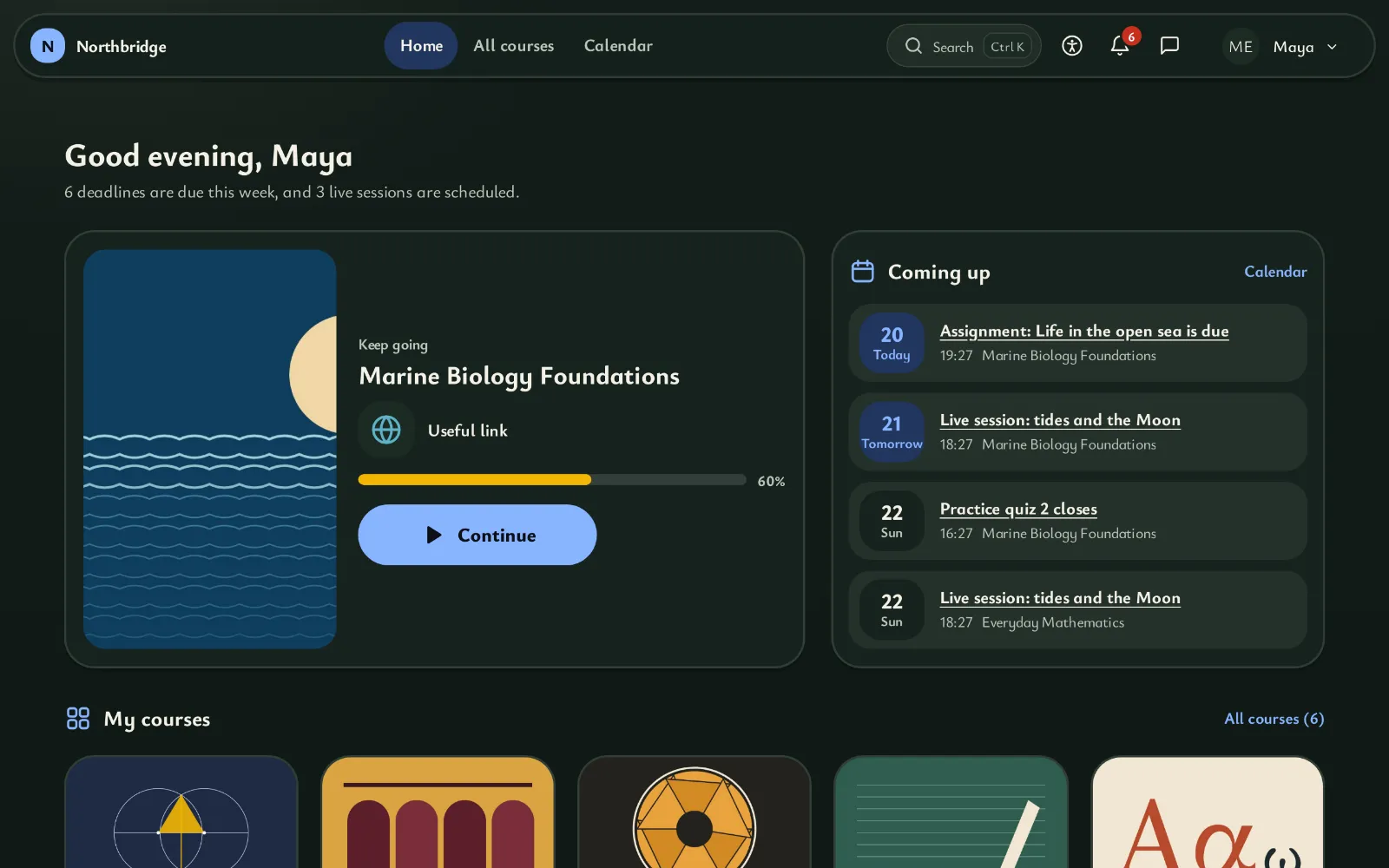
Island
The navigation floats in a rounded bar at the top of the page, with space around it. The calm default.
Sidebar
The navigation moves to a floating side column that folds into icons and lists the courses of the learner with their progress.
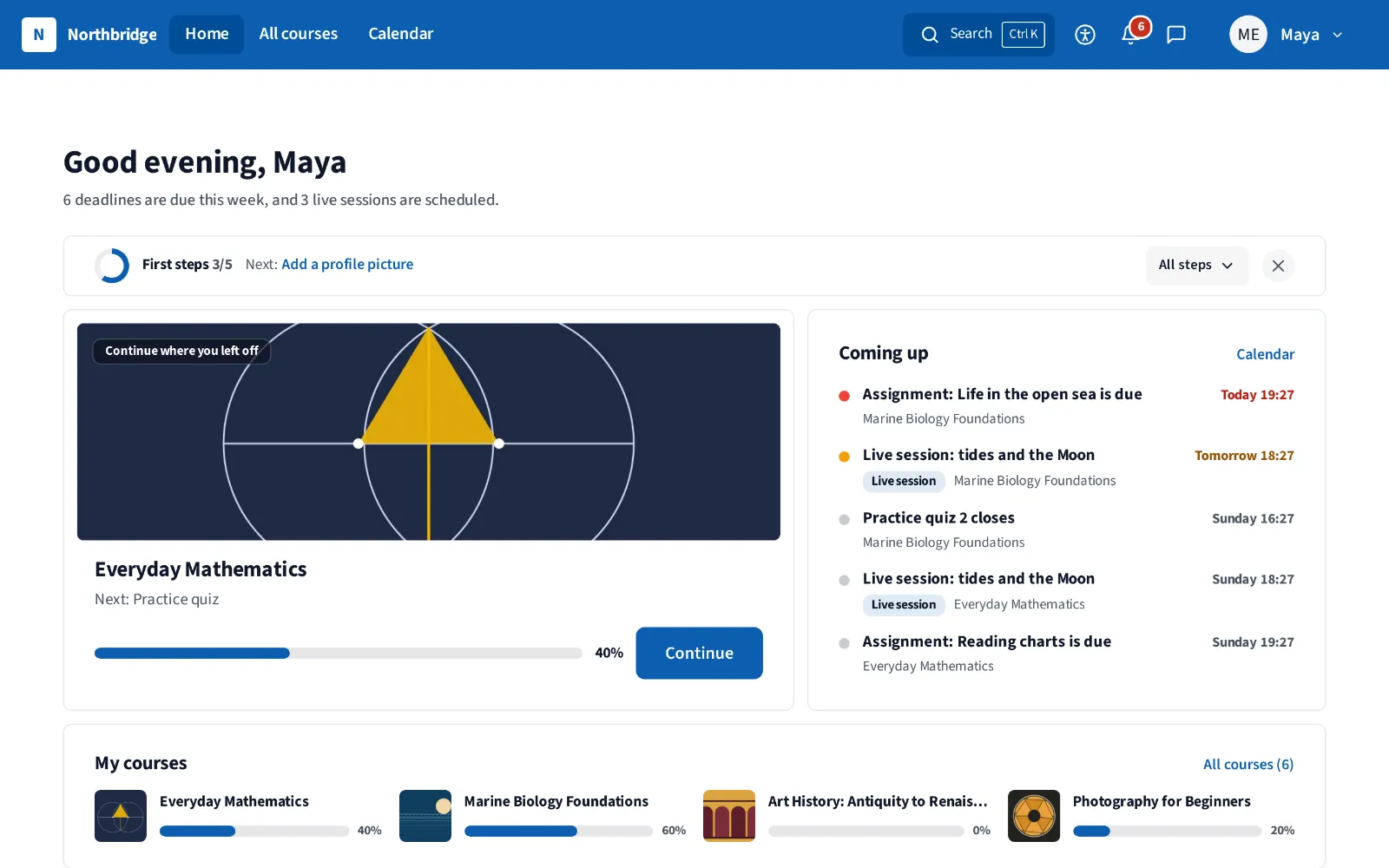
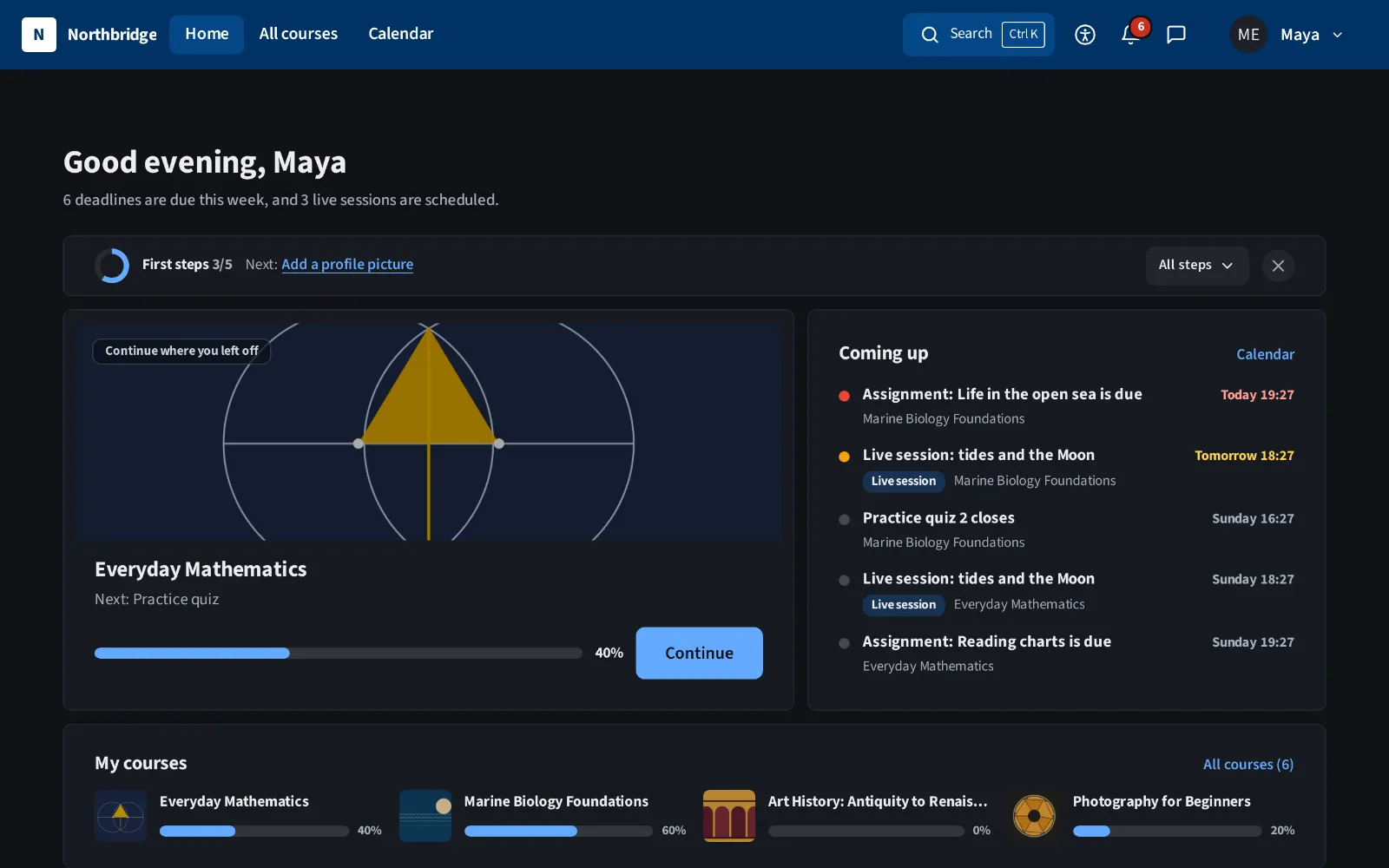
Classic bar
A solid, full width bar fixed to the top, with the tabs next to the logo. Close to what Moodle users already know.
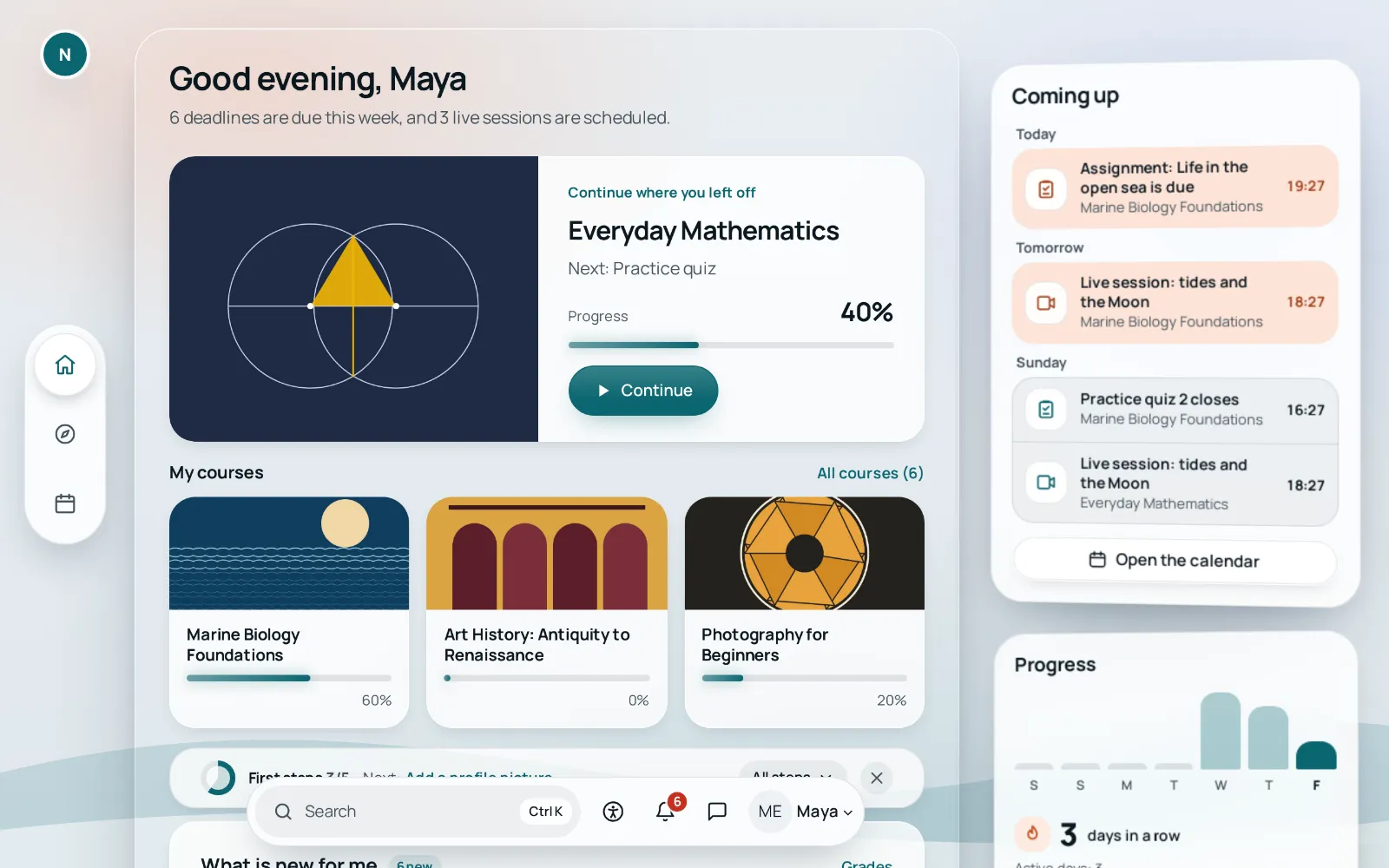
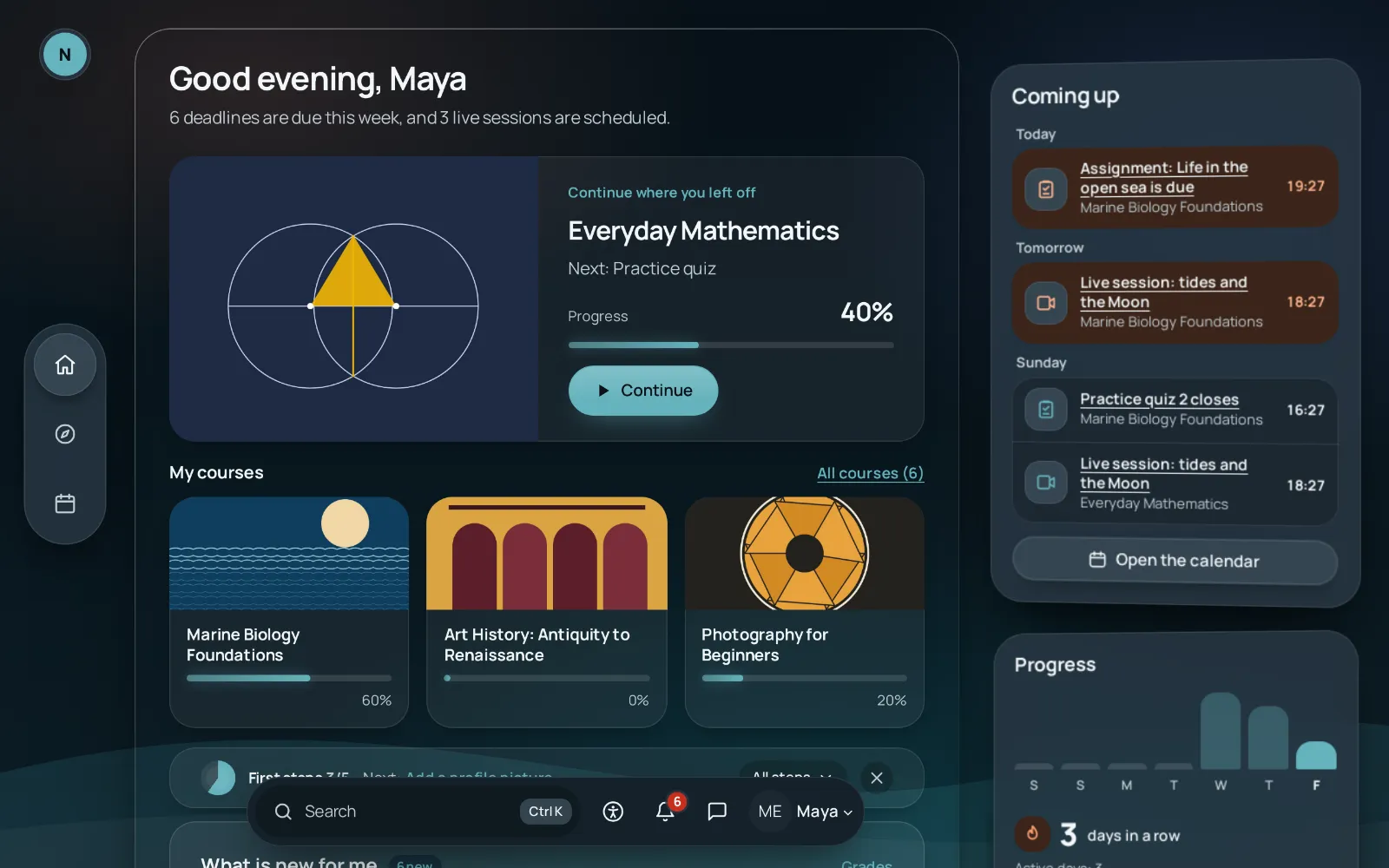
Depth
Content opens in floating windows over a calm background. The navigation stays outside the window, in a vertical tab bar and a toolbar.
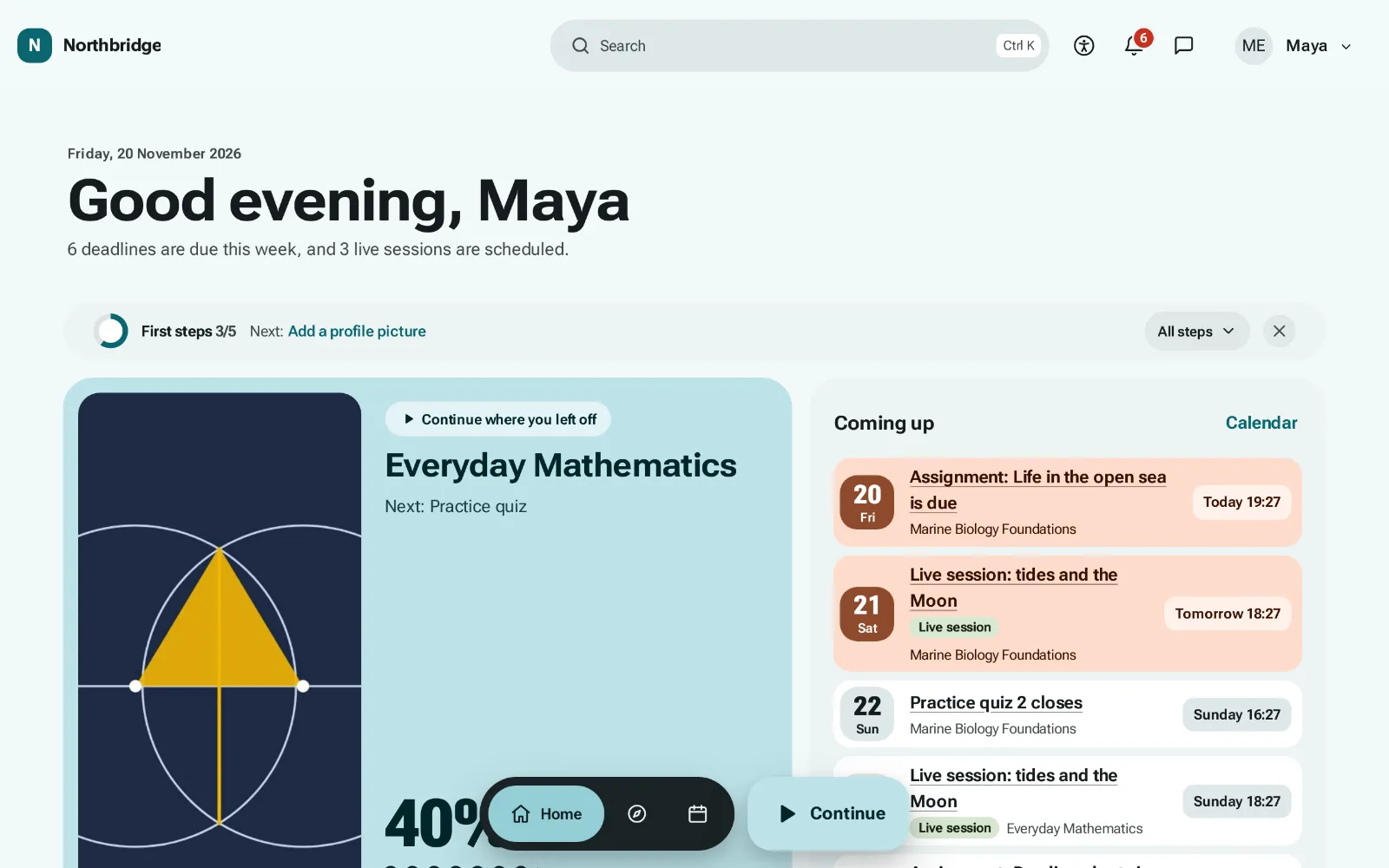
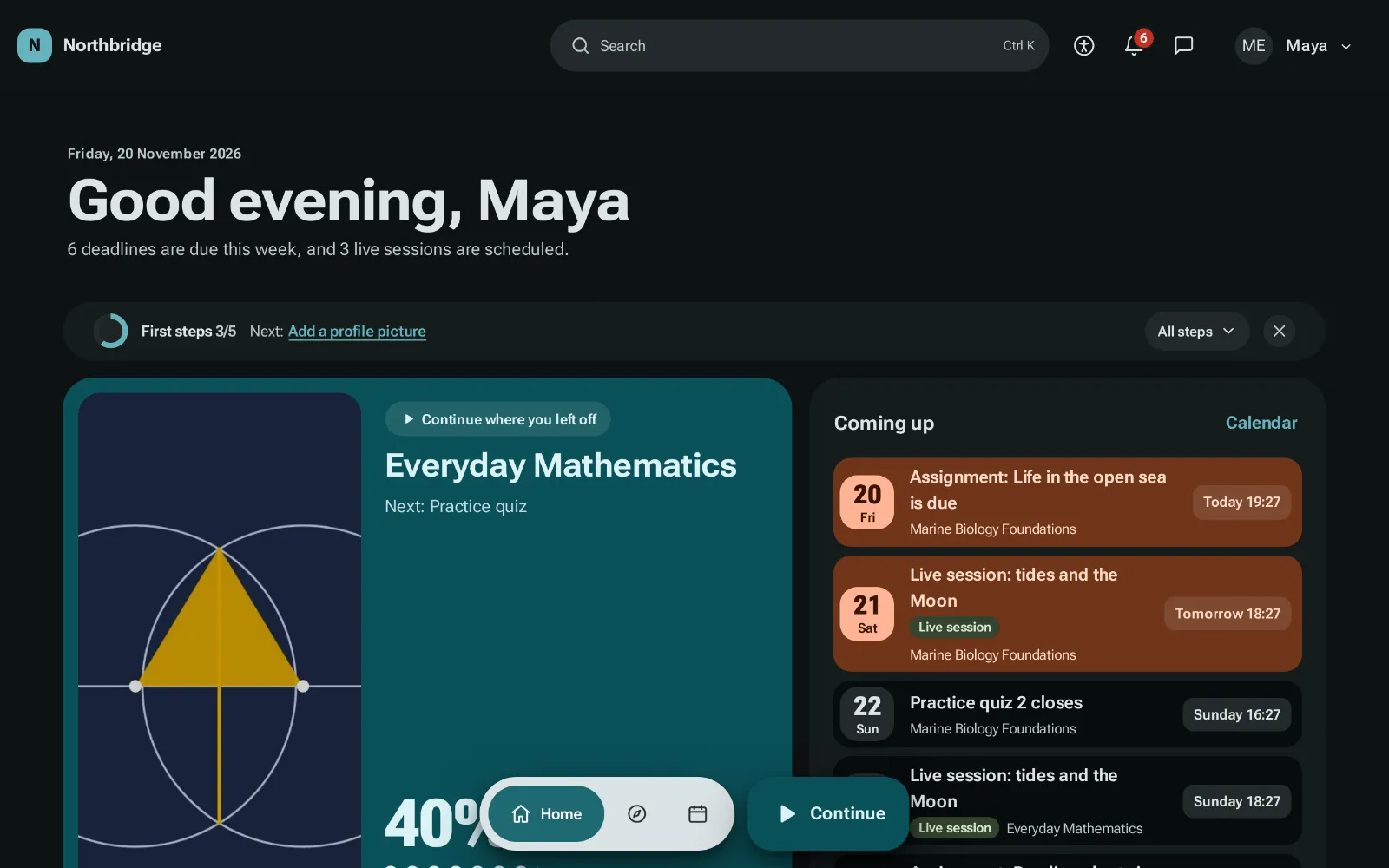
Mosaic
The dashboard and the course page become tiles of different sizes, and the navigation moves to a floating bar at the bottom with its own Continue button.
Shelf
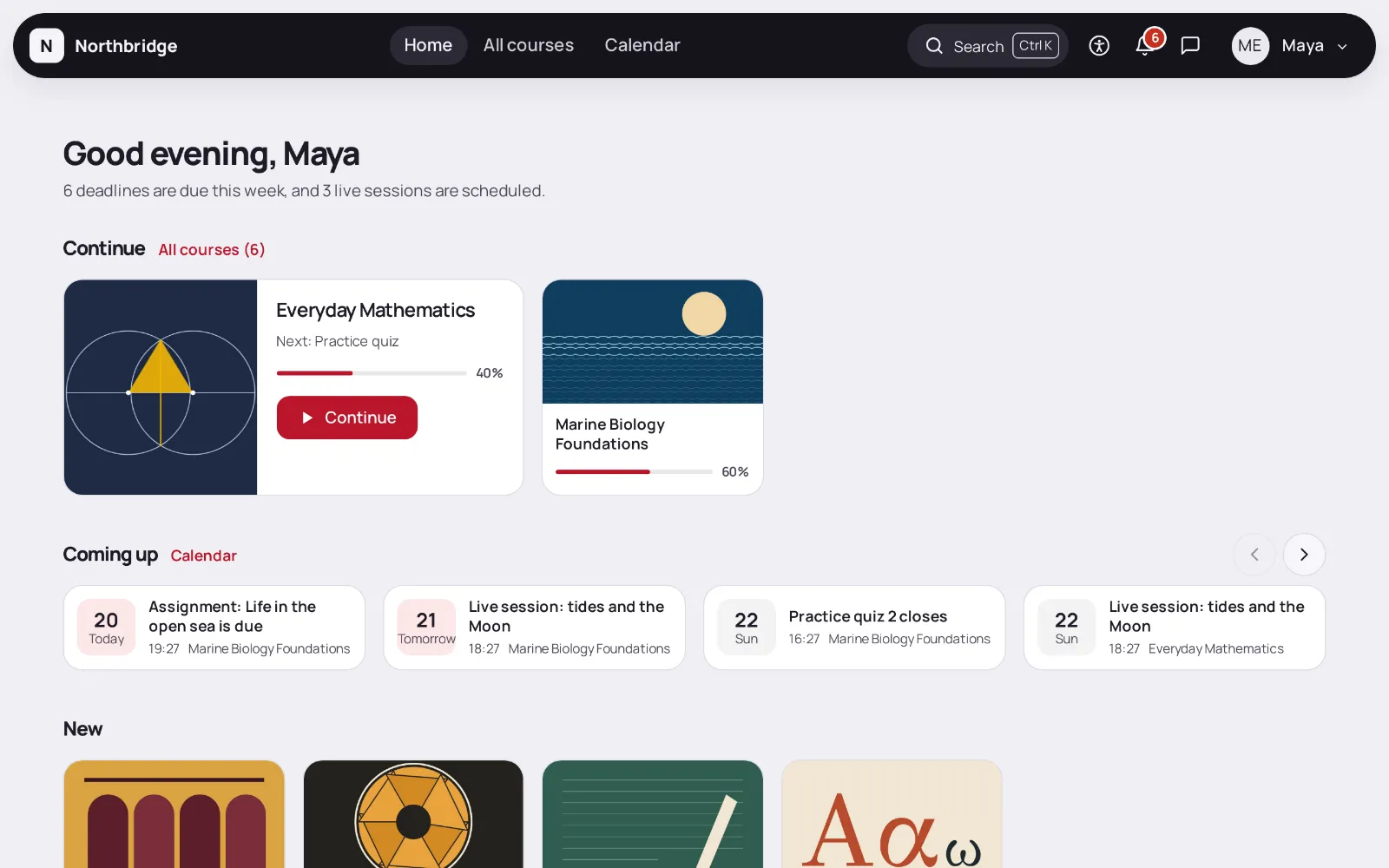
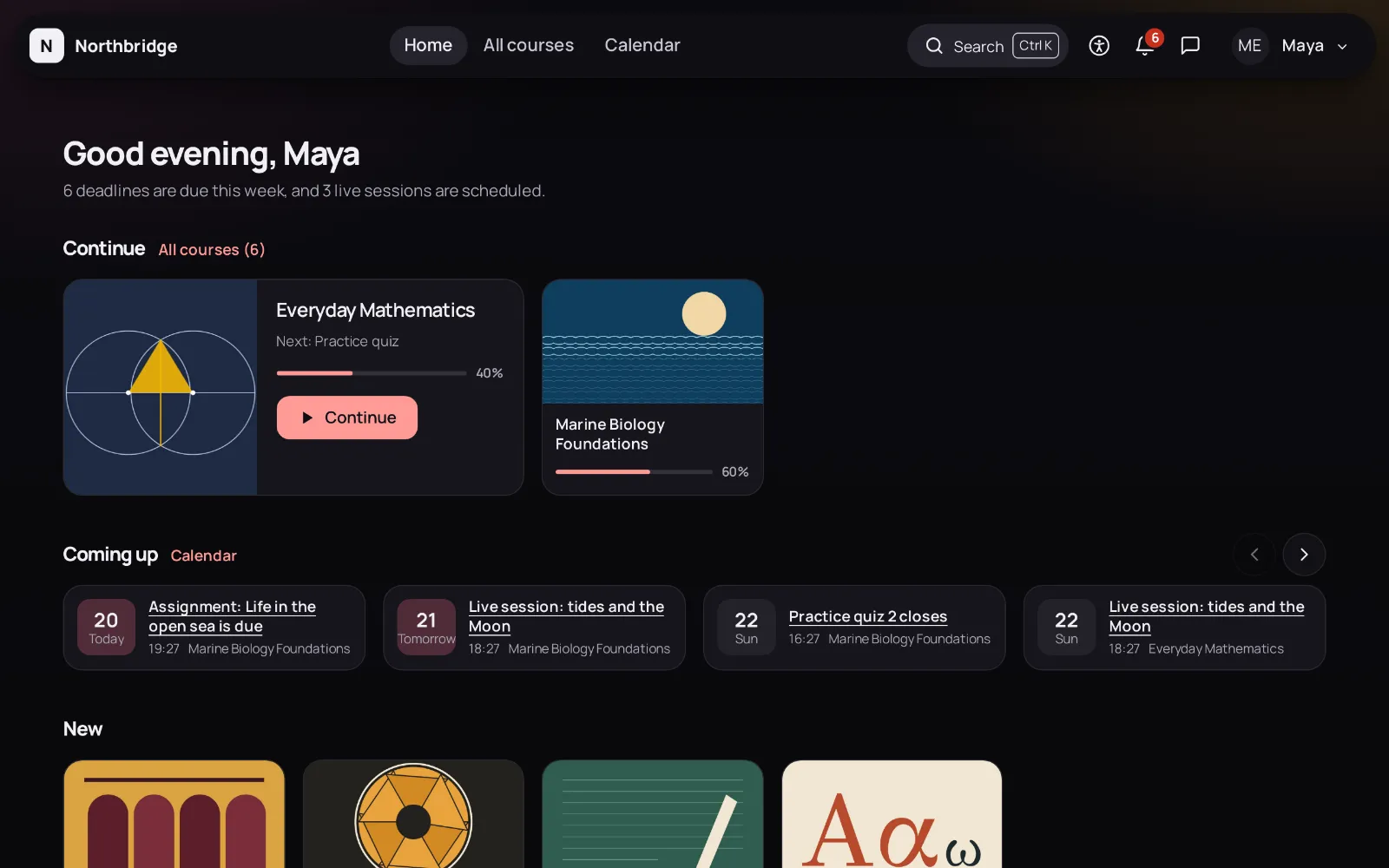
Courses sit on shelves that scroll sideways: Continue, Coming up, New and one shelf per category. A course opens as a list of episodes.
Book
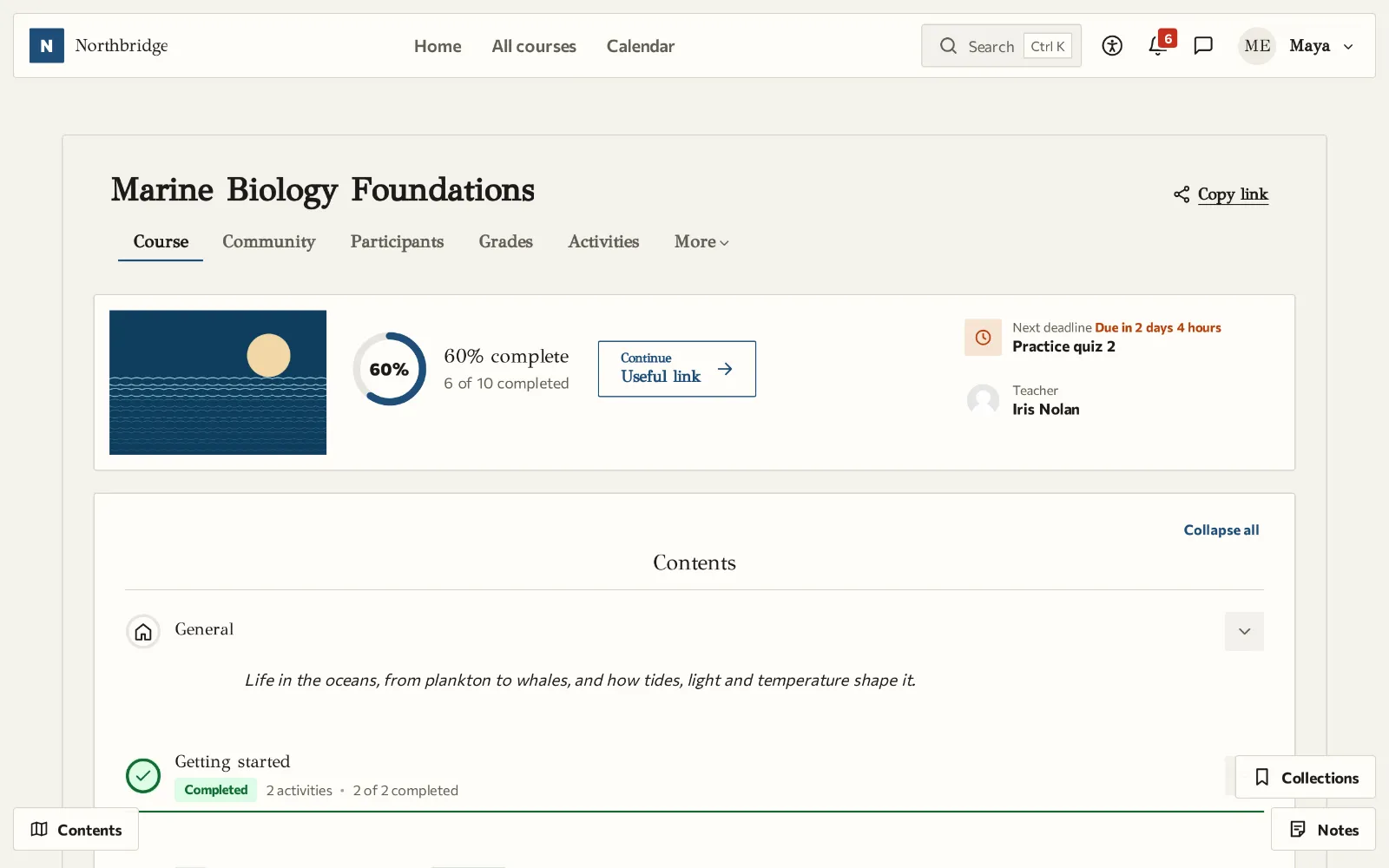
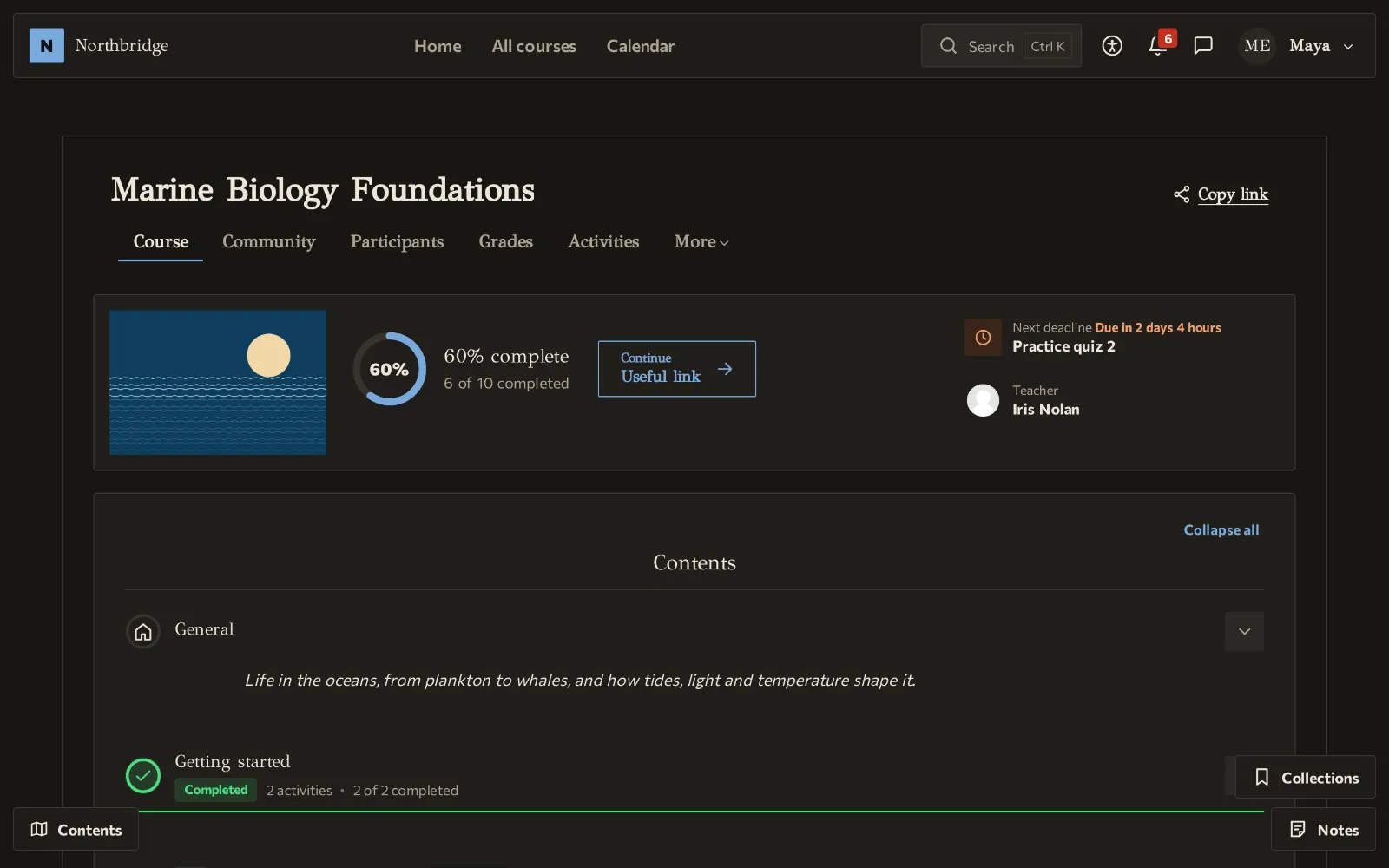
A course is read like a book, one page at a time, with Previous and Next, the arrow keys or a swipe. The dashboard keeps a bookmark where reading stopped.
Young learners
Large tiles with icons and little text, very large buttons and a phone bar of four labelled icons, for children who are still learning to read.
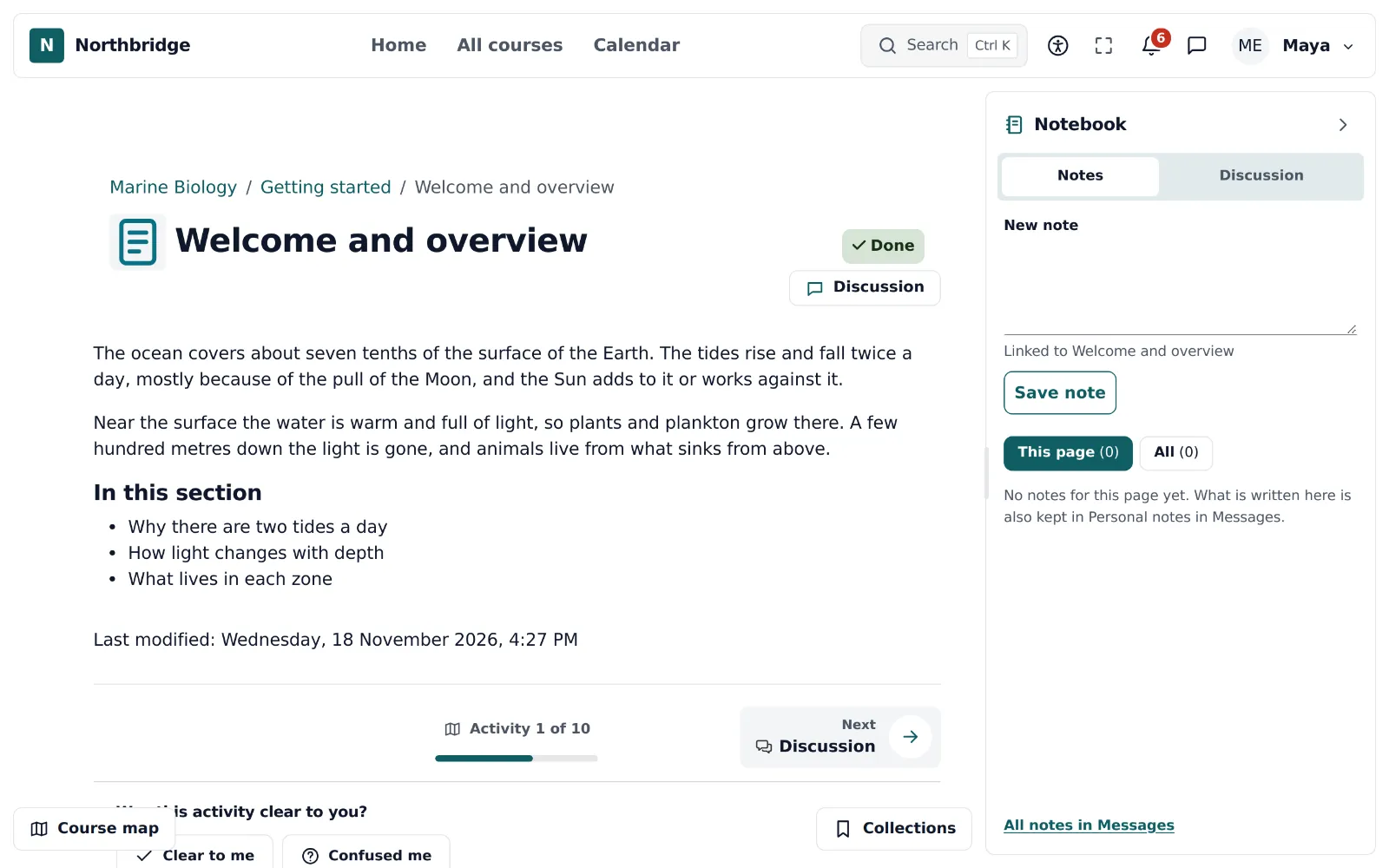
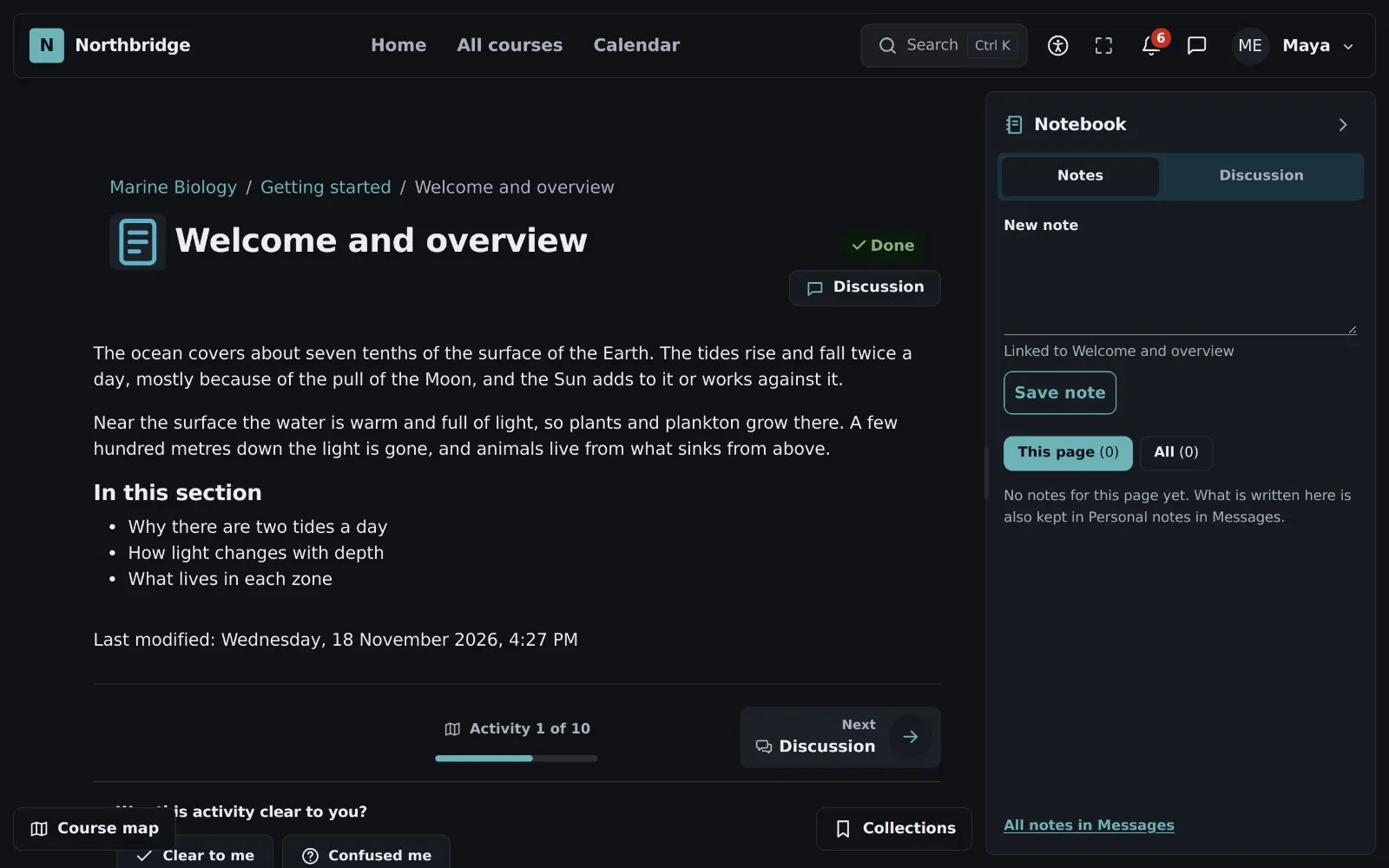
Notebook
Content on the left and a panel on the right that stays open while learners move on: their notes, the discussion of the course and, when the site has an AI provider, questions about the page.
Portal
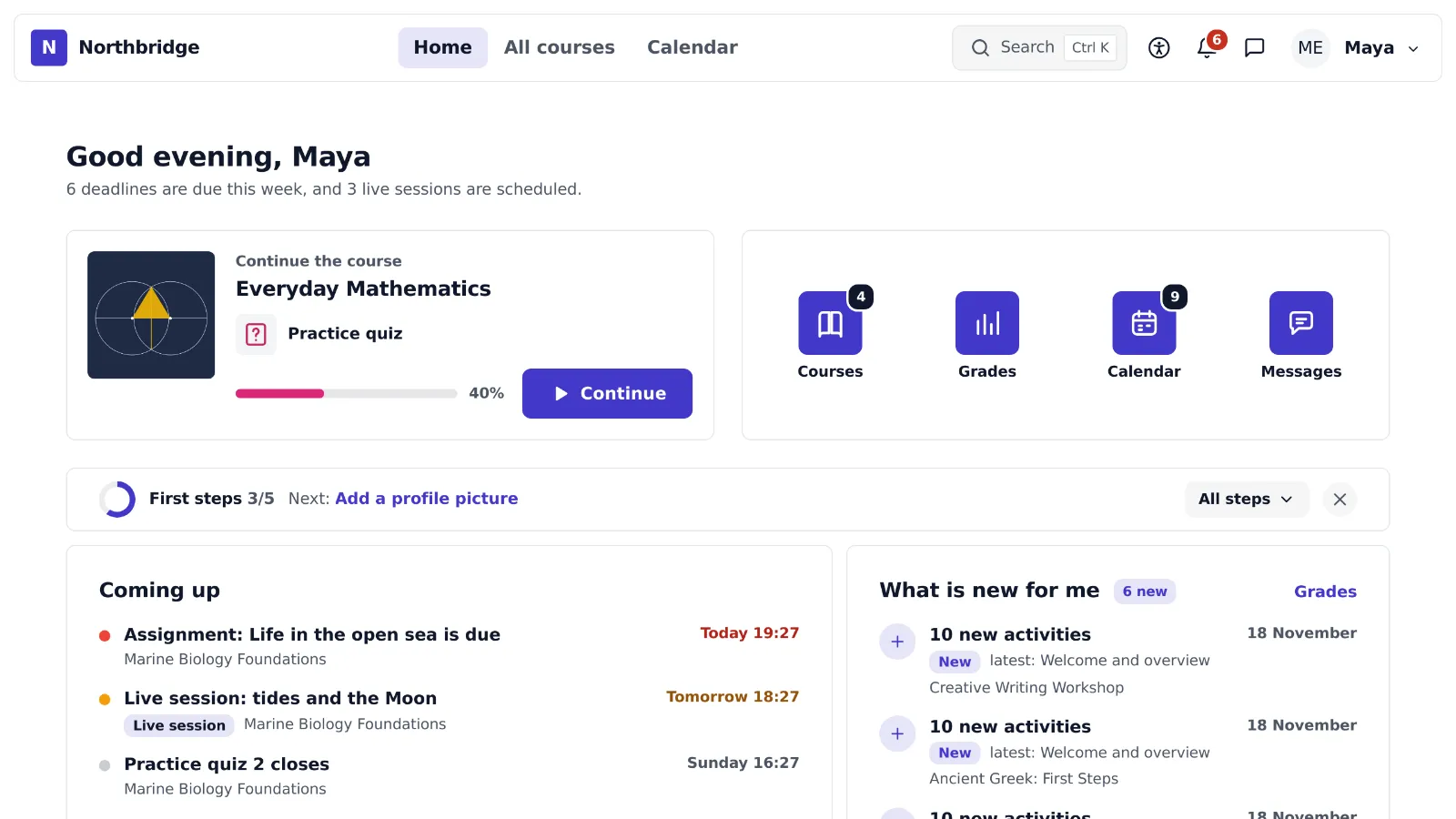
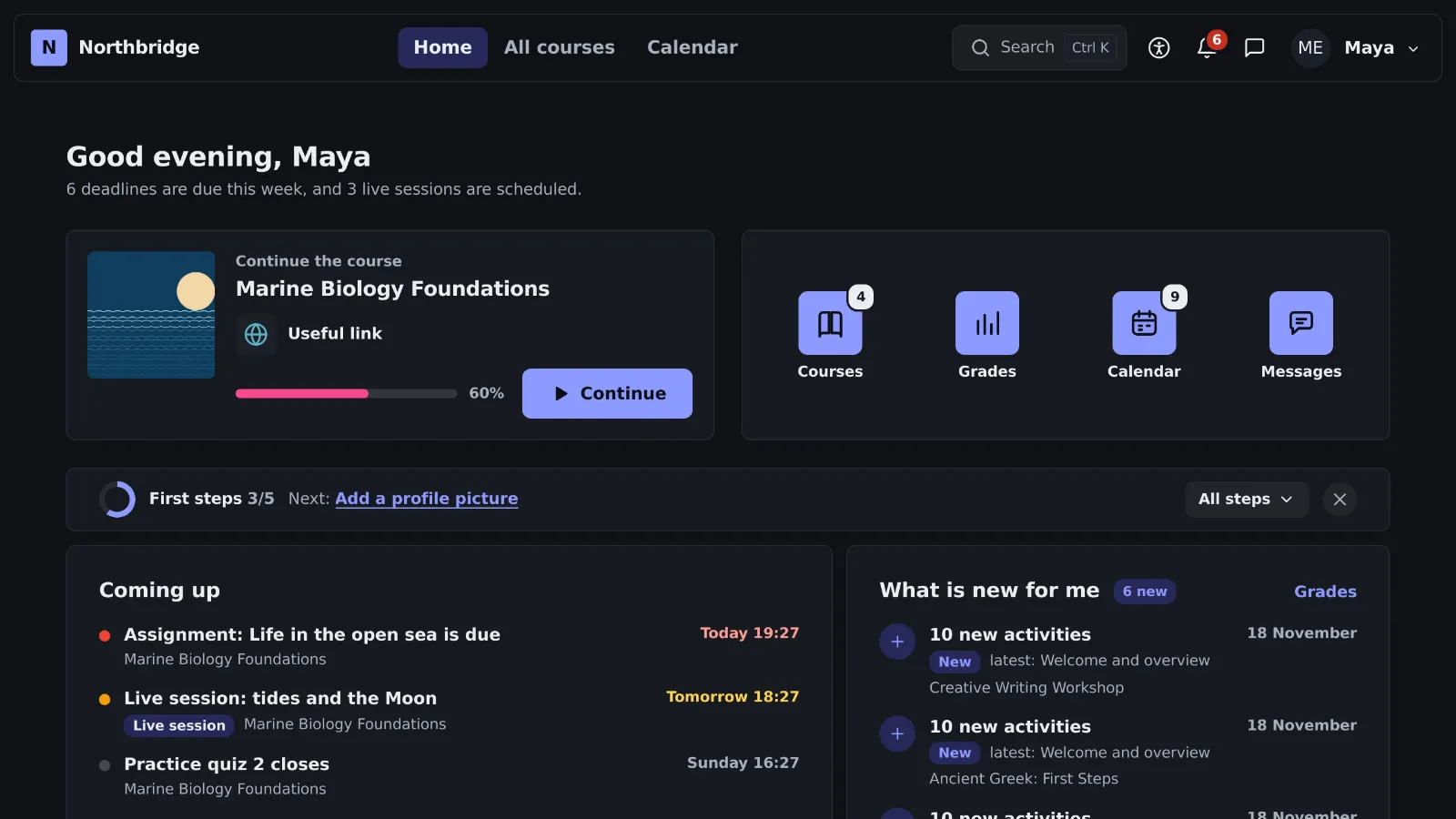
The home looks like the home screen of a phone: one card that continues the last course and icons for courses, grades, calendar and messages, each with a badge of what is new.
Stories
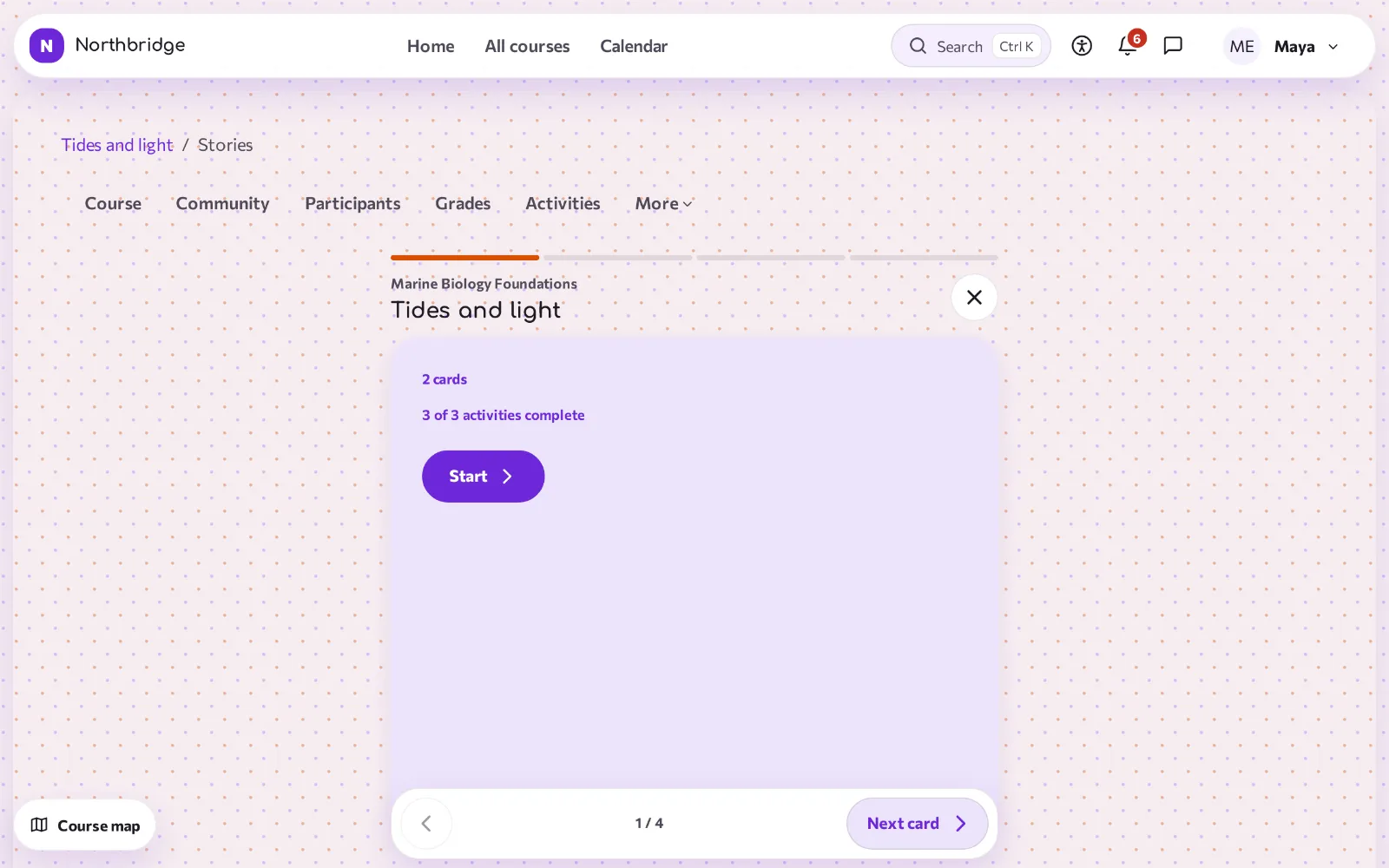
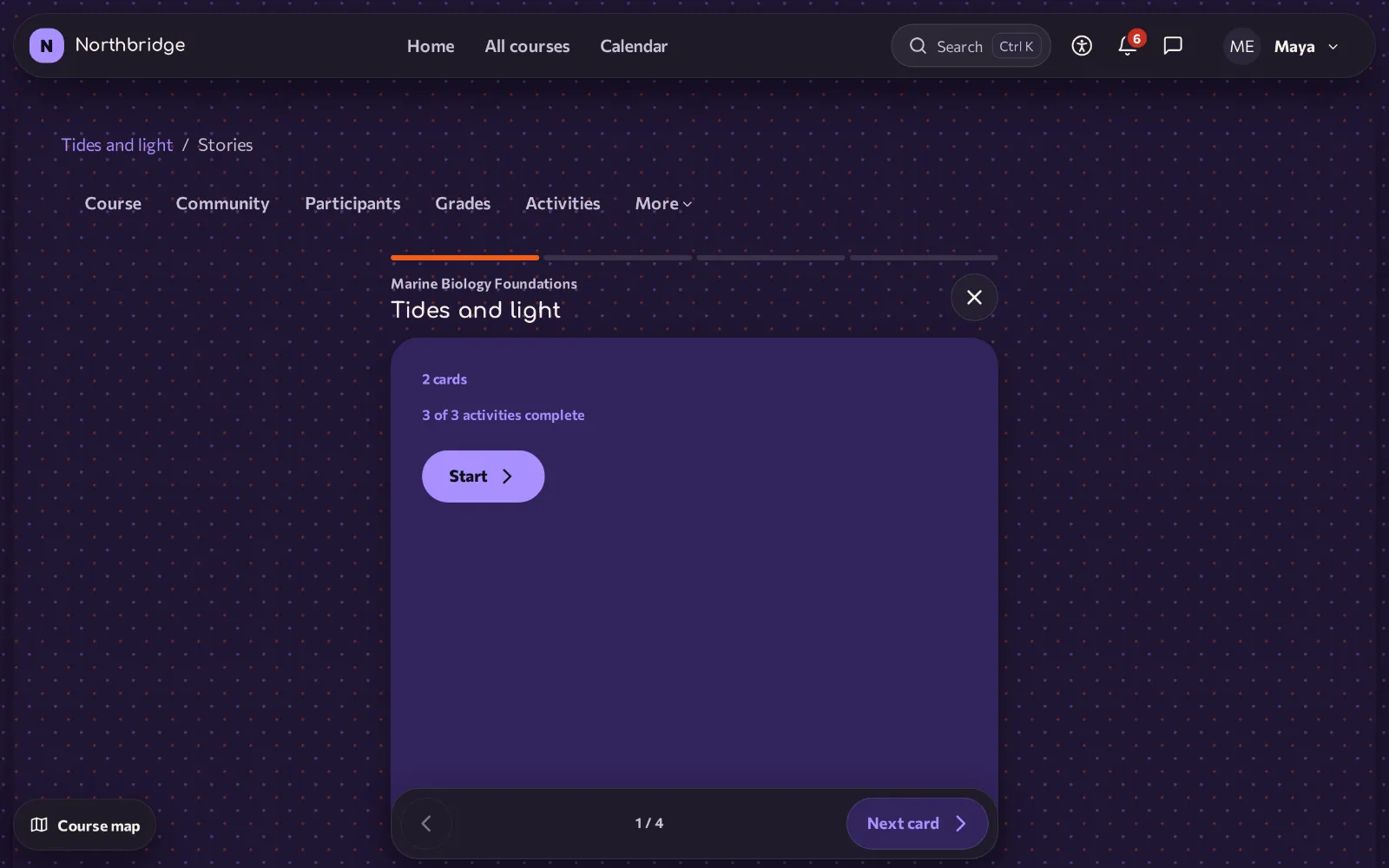
Each section becomes a short story of tall cards, one at a time, with a short question at the end. The cards change with buttons, arrow keys or a swipe, never by themselves.
Classroom
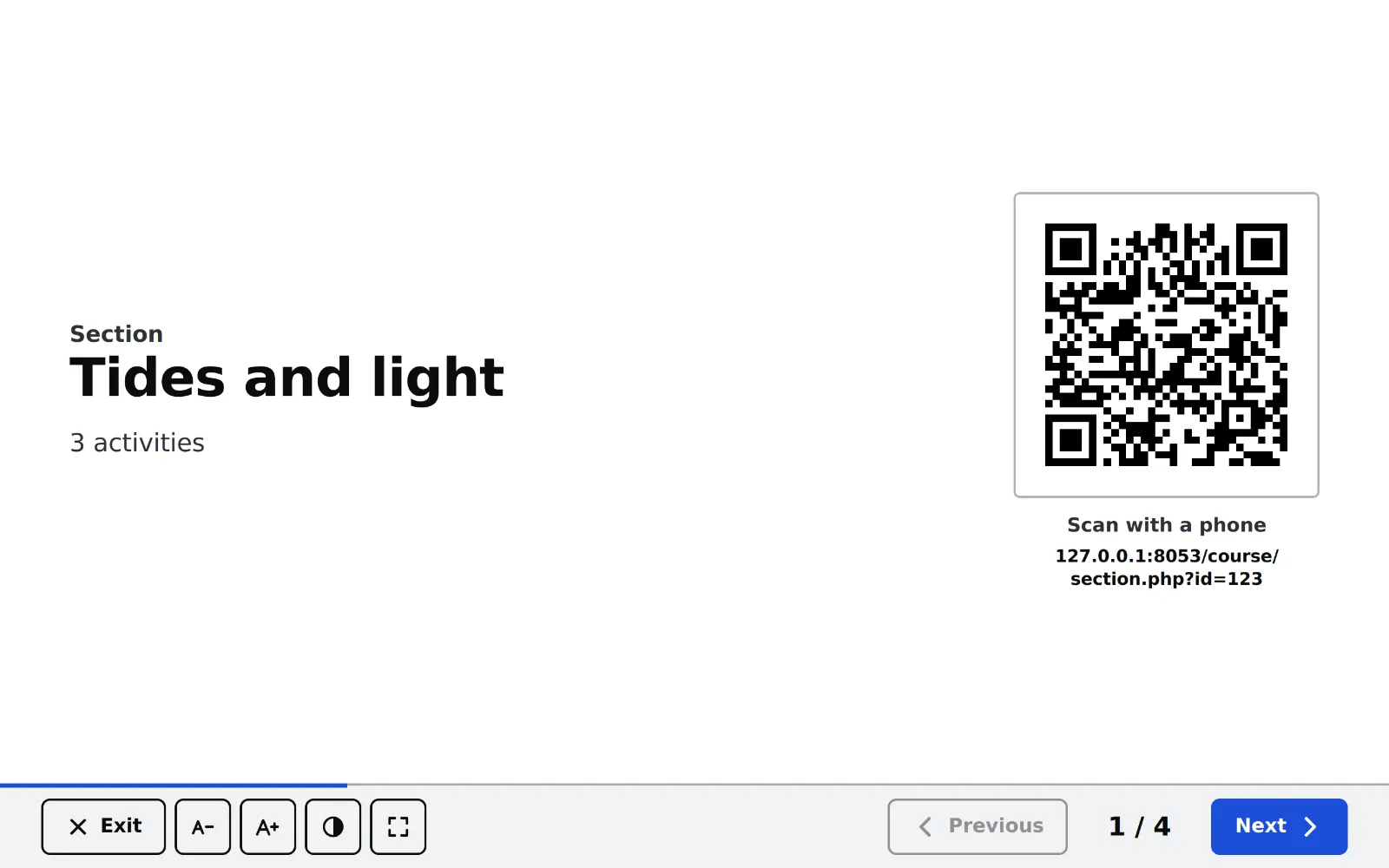
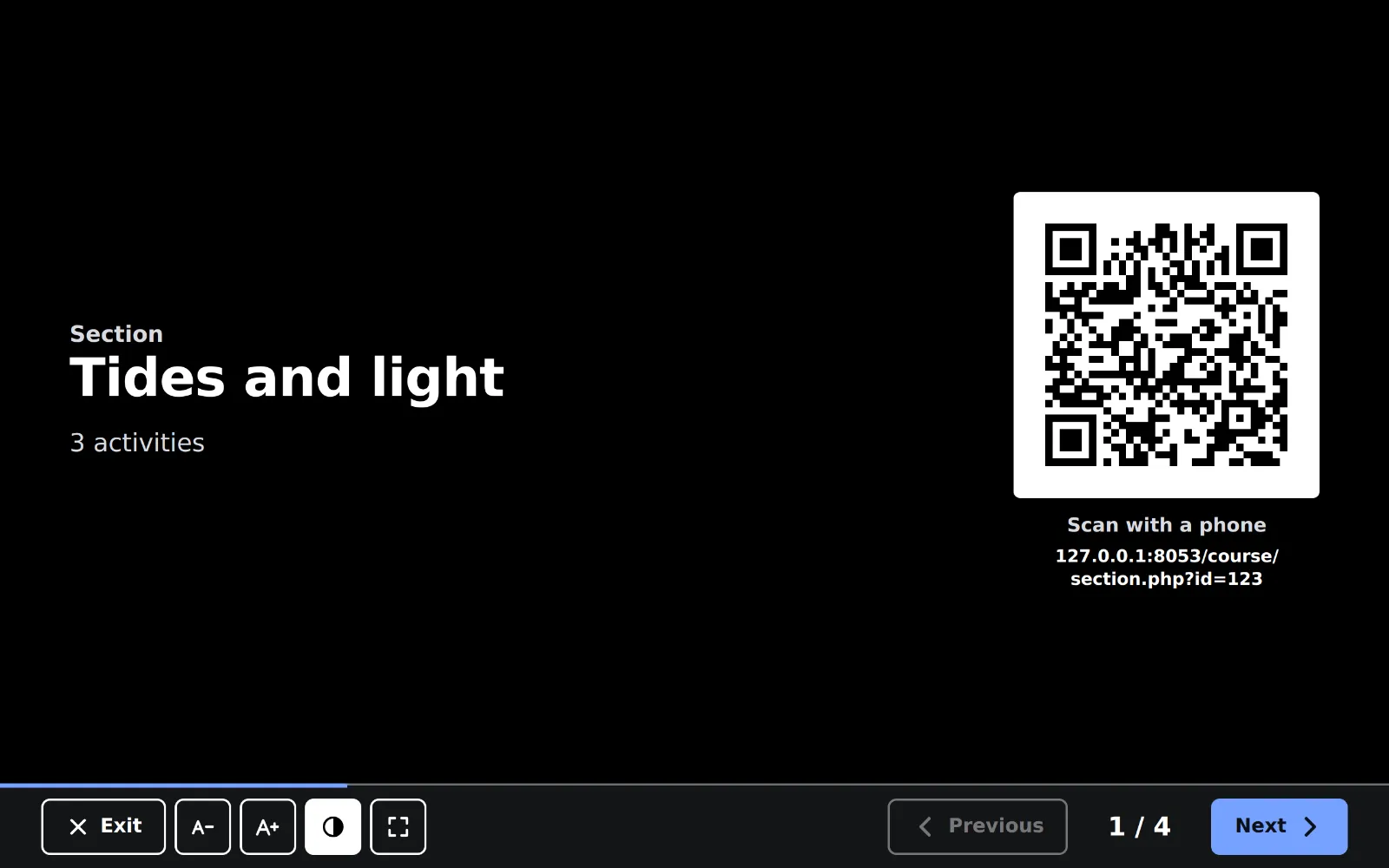
For lessons with a projector or an interactive whiteboard: the teacher presents the course one item at a time in very large type, and a QR code opens the same item on the phones of the learners.
01explore
The theme at work, in real screenshots
Every choice below changes the screen to a real screenshot of the theme on Moodle 5.3, so that shapes, styles and appearances can be compared before anything is installed.
Island
The navigation floats in a rounded bar at the top of the page, with space around it. The calm default.
Ready skin: Letstudy, with the Glass style
02roles
One theme, three points of view
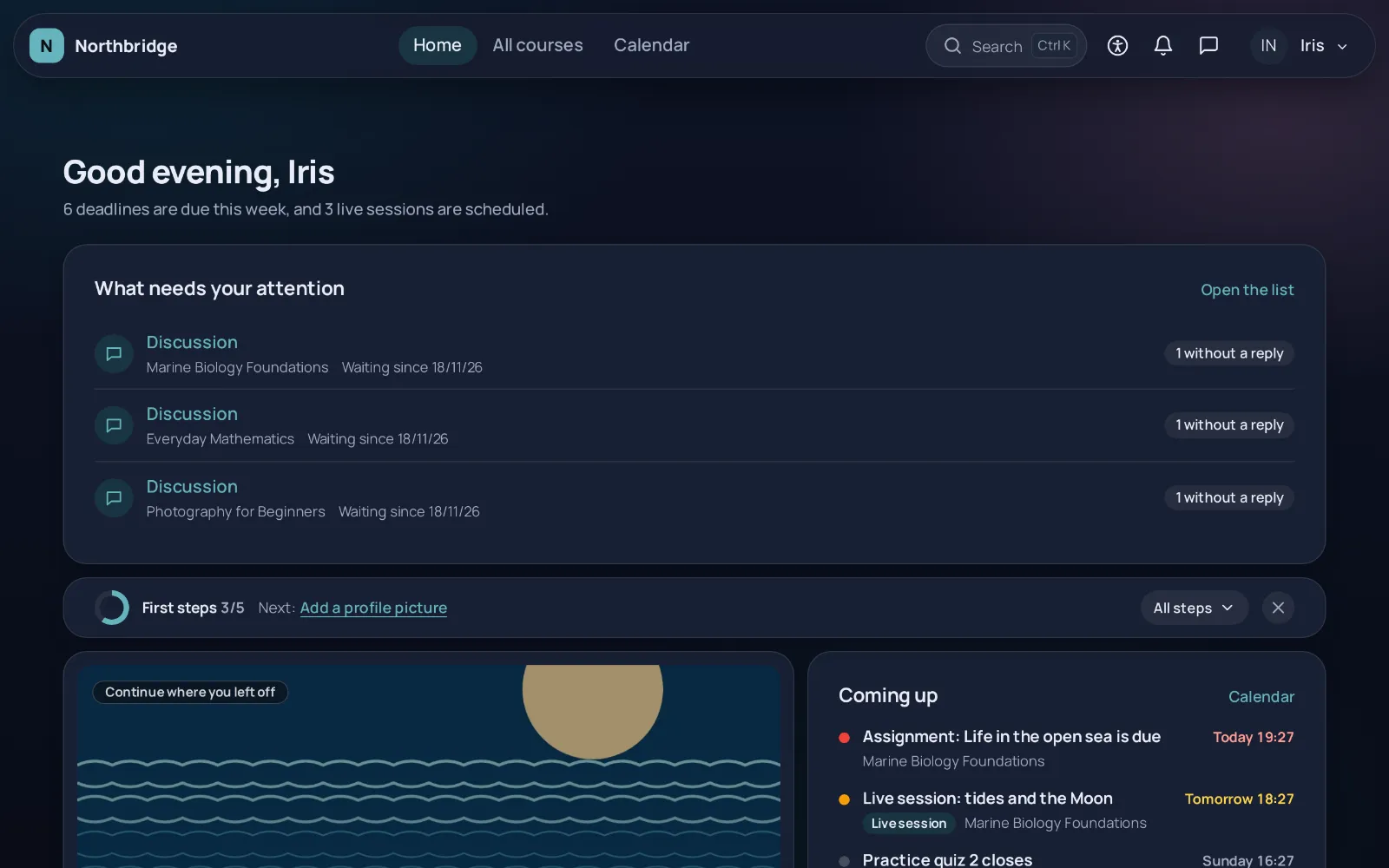
The same site gives each role the screen it needs, without extra plugins.
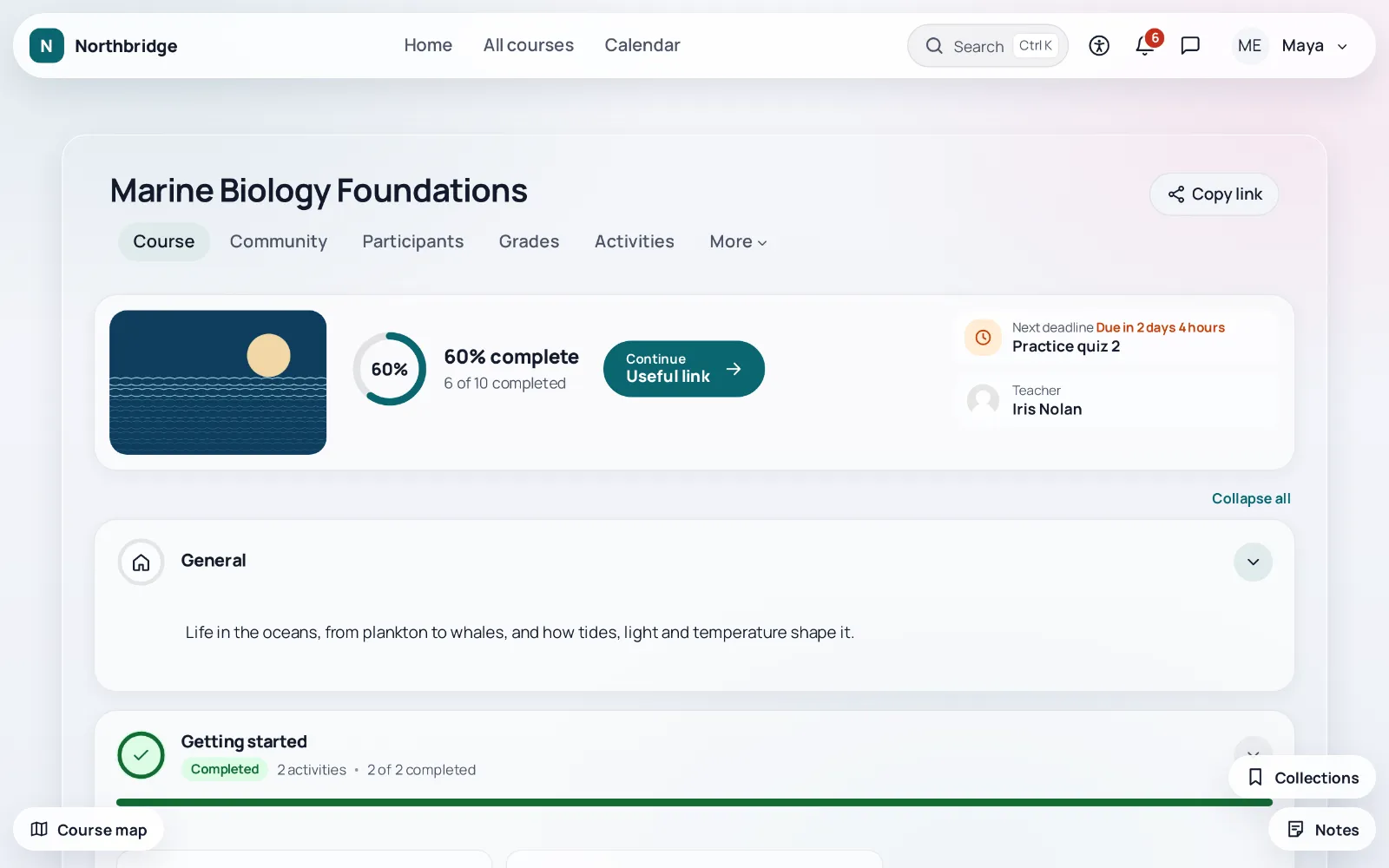
Learners see at once where they stopped
The first screen answers where the learner stopped, what is due in the next two weeks and which courses are theirs, while the Ctrl+K palette, notes and a messenger in the form of a conversation stay one tap away.
- Greeting, Continue and Coming up on the first screen
- Ctrl+K palette for pages, courses and deadlines
- Notes and collections per course
- Display preferences on every page
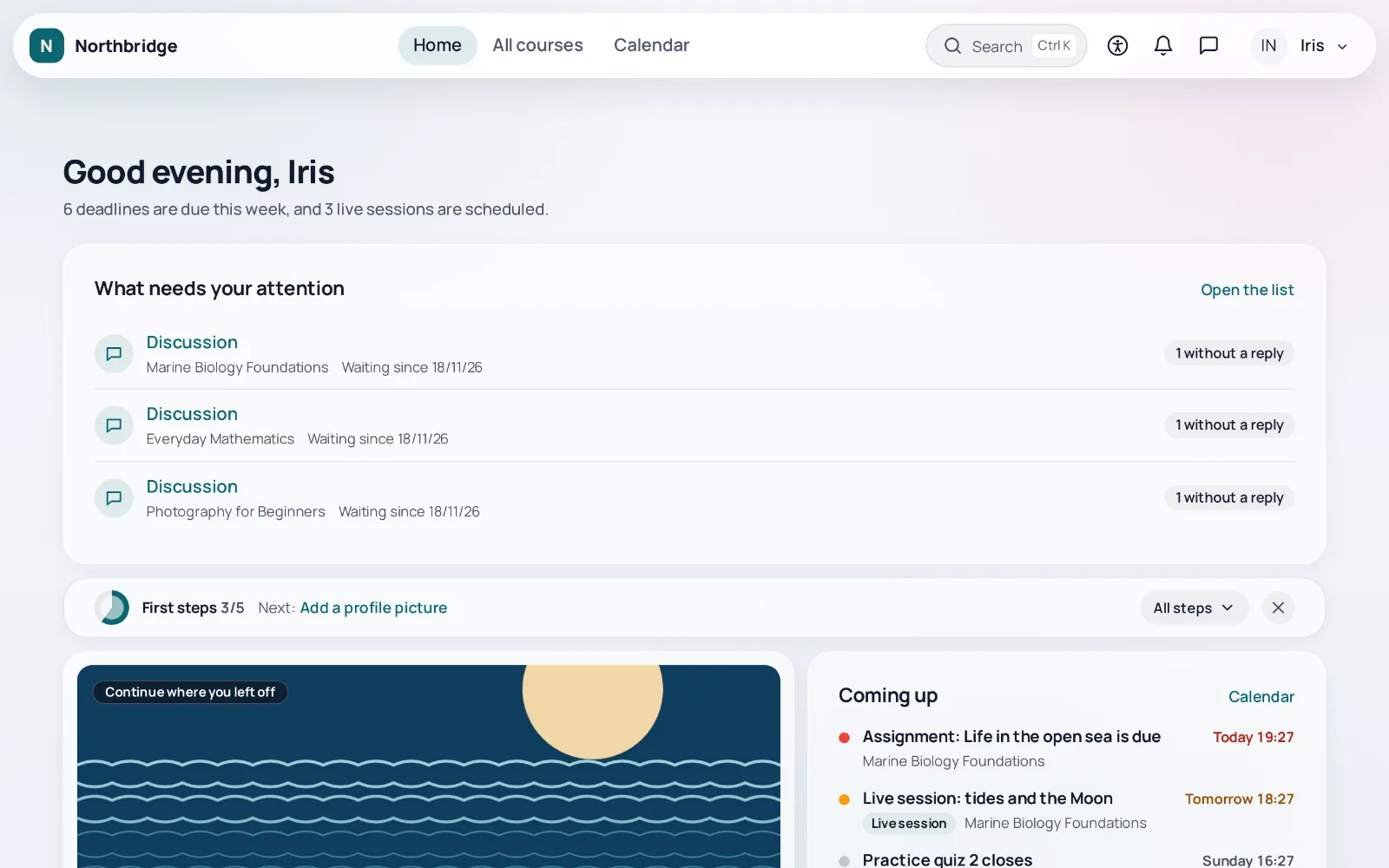
Teachers see what waits for them
Submissions to grade, quiz answers to grade by hand and unanswered discussions of every course appear right under the greeting, and the insights of the course, the follow up of learners and the dates of the course are one click away.
- Course insights with a CSV download
- Learner follow up that never sends anything by itself
- Focus layout for grading
- View as learner in one click
Administrators change the look safely
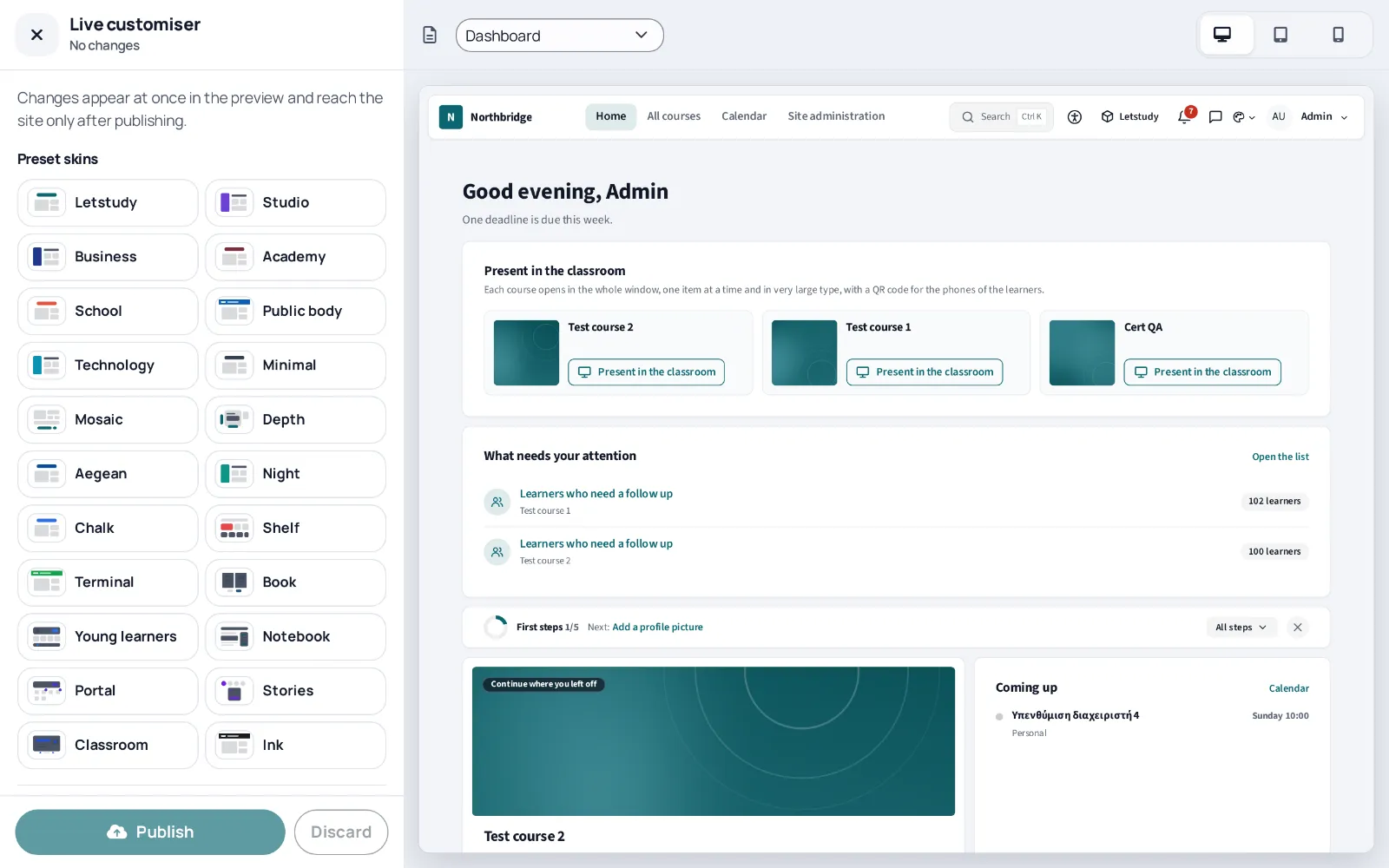
The setup wizard shows every change before it is saved, the live customiser applies the look at once, and each of the 88 optional features has its own switch, so that whatever stays off leaves no trace on the site.
- Setup wizard saved as one change that can be undone
- Live customiser, history, import and export
- A skin per course category or cohort
- Health check that sends nothing to other servers
03Letstudy Moodle Ecosystem
The theme at the centre, nine free plugins around it
Some things belong in their own plugin: a page builder, certificates, a course format, a report, two message outputs and a payment step. Each one works on its own with Moodle 4.5 to 5.3, and the theme recognises it as soon as it is installed.
Pages, courses and content
Works on its own. Recognises each plugin once it is installed.
AI, data, messages and sales
- published
- in review
- coming soon
The basetheme_letstudy
Letstudy theme
A free theme for Moodle built on Boost, with an app-like shell, switchable skins in light and dark, rich course pages, accessibility and AI transparency tools and a setup wizard with a live preview. It works fully on its own and recognises each companion plugin from the plugin manager of the site, without contacting any other server.
The panel "Companion plugins" in the settings and the last step of the setup wizard list every plugin of the ecosystem, with its state on the site, a link to its page in the plugins directory and, when it is installed, a link to its settings.
Coming soon to the Moodle Plugins directory
Details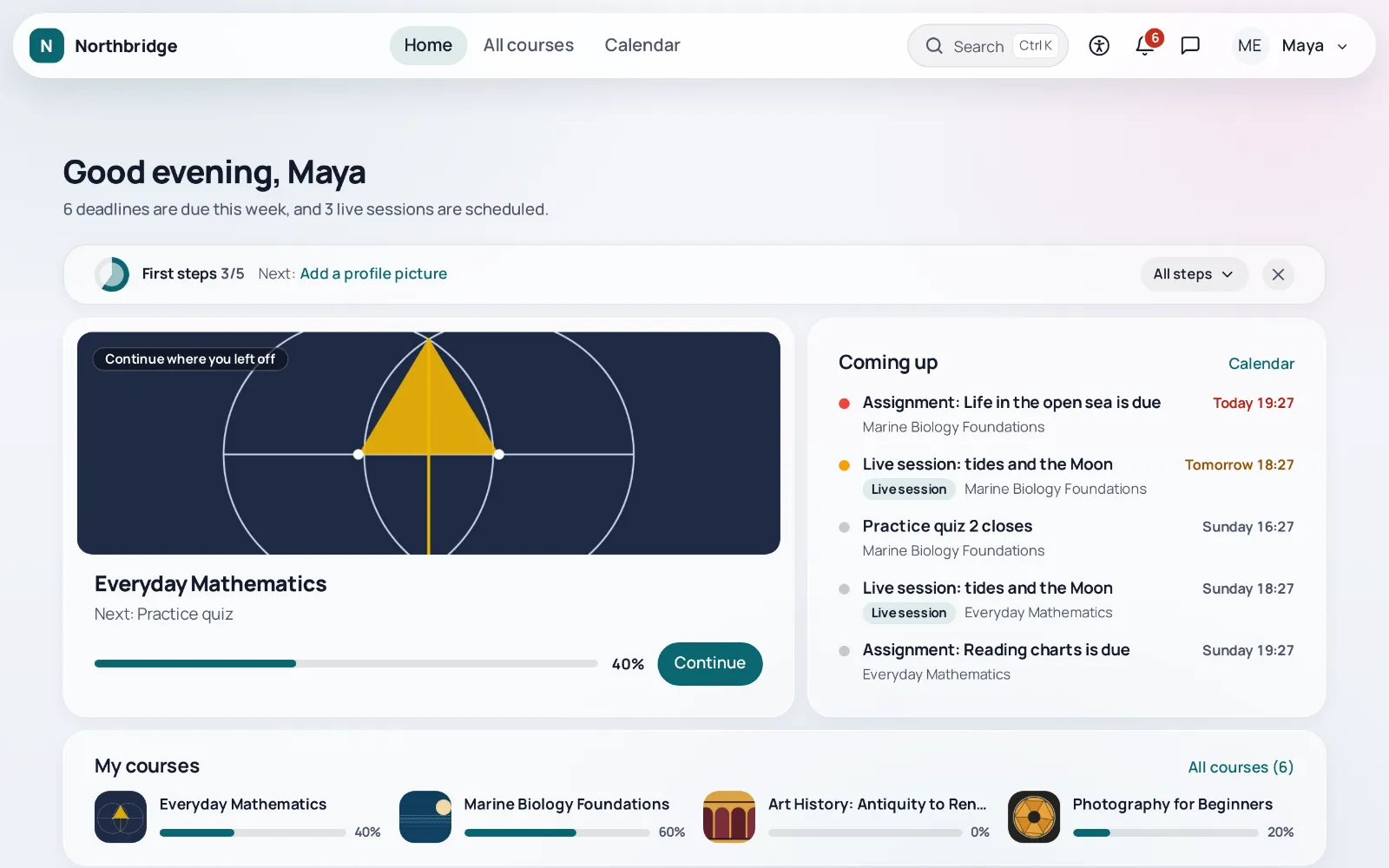
Page builderlocal_letstudypages
Letstudy Pages
A page builder that works with any theme: landing pages, home pages, course landing pages, popups, banners and the login page, built from ready sections in a visual editor with a live preview.
The theme matches the look of its pages to the skin of the site and links to them from the menu of the Letstudy products.
Submitted to the Moodle Plugins directory Open in the Moodle Plugins directory
Details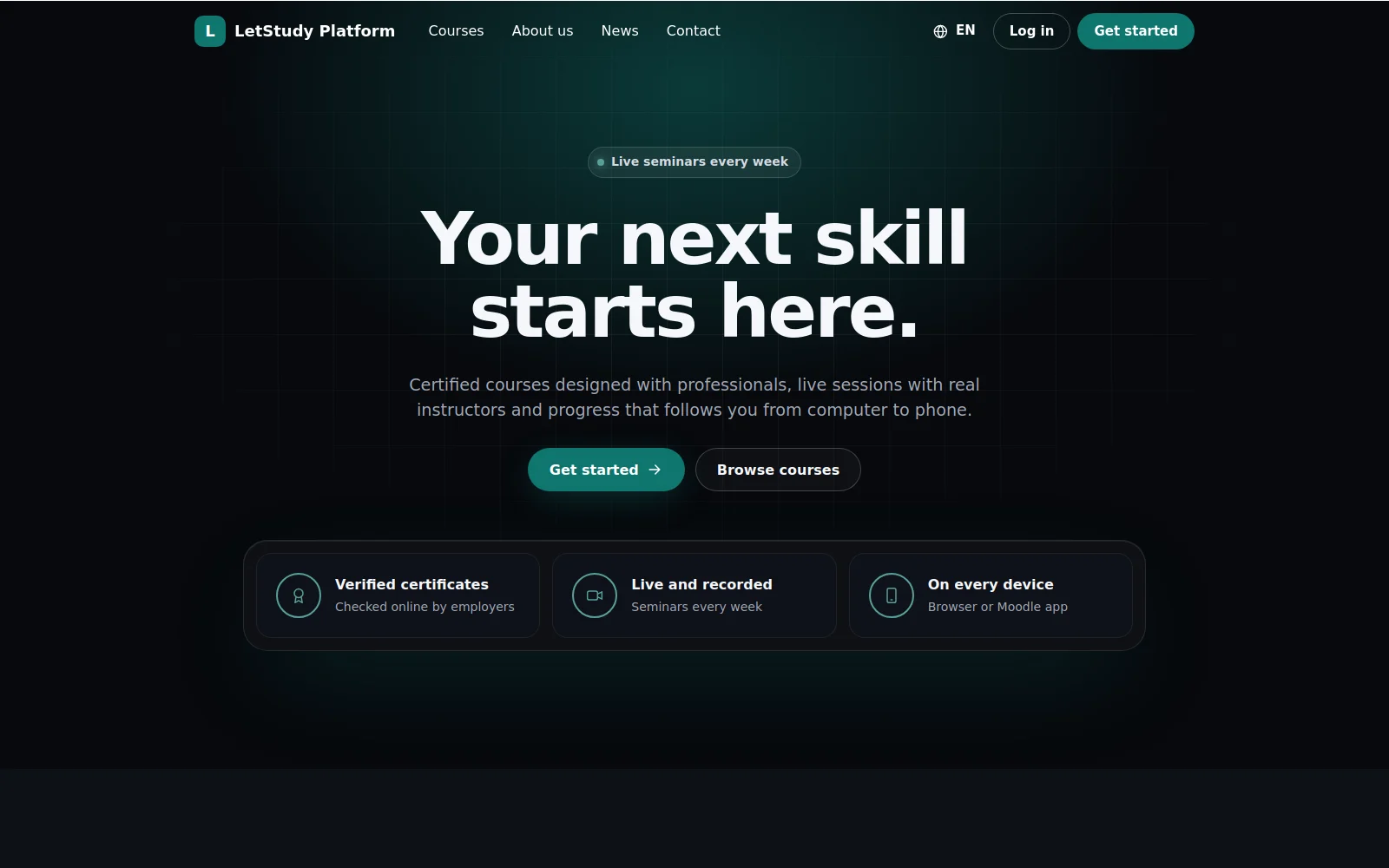
Course formatformat_letstudy
Letstudy Course Format
19 visual layouts for the sections of a course, from cards, tabs and timelines to a learning path, a dashboard, a weekly planner, a mind map and a space journey, with section icons, images, colours and progress.
More layouts for the courses that use the Letstudy course format, while new courses are covered by the course views of the theme.
In the Moodle Plugins directory Open in the Moodle Plugins directory
Details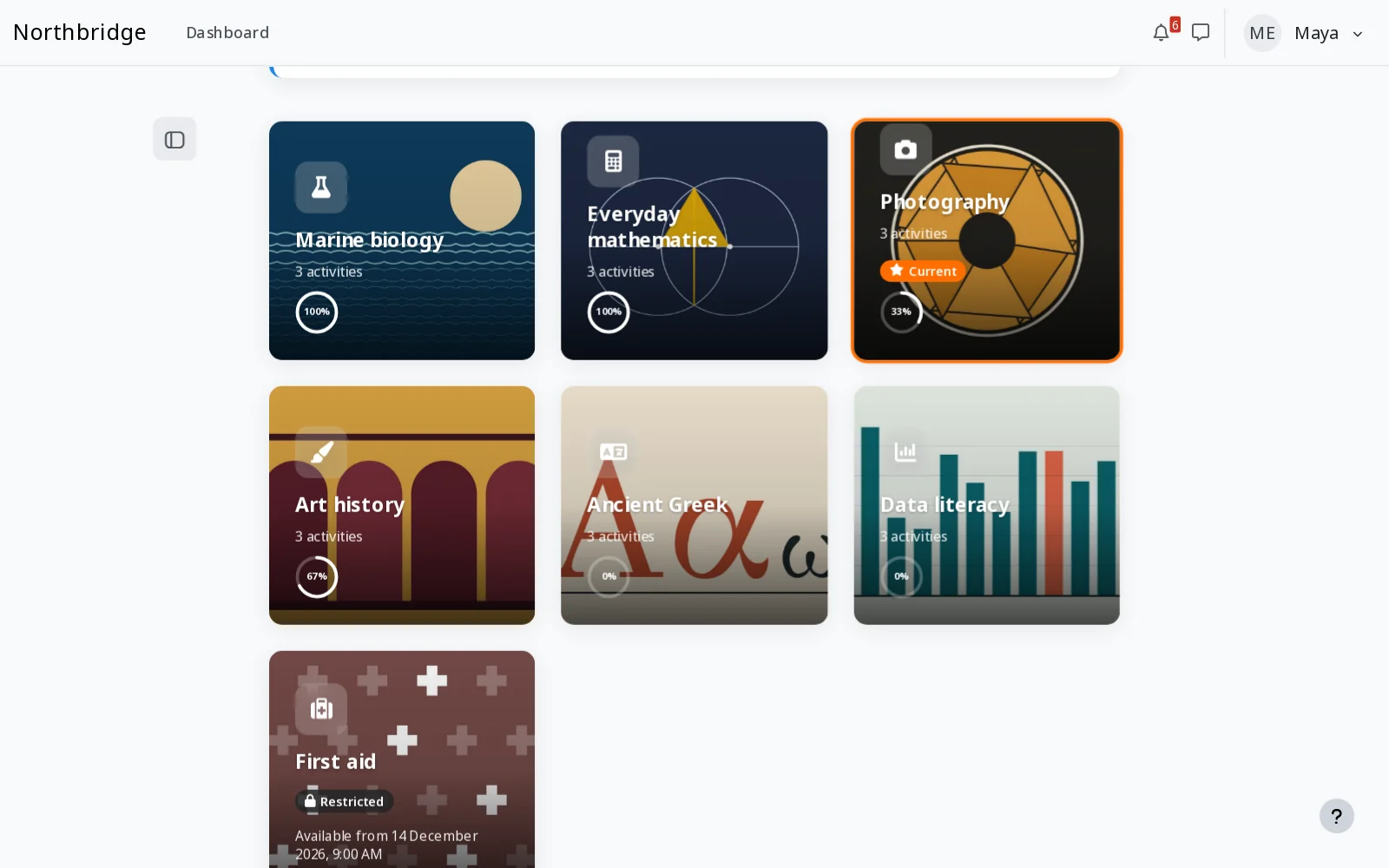
Document viewerlocal_docviewer
Document Viewer
Shows Word, Excel, PowerPoint, OpenDocument, RTF and PDF files in a viewer inside Moodle, on computers, phones and in the Moodle app. Documents are converted to PDF on the server of the site with LibreOffice, and teachers switch the preview and the download per resource.
The theme matches the look of its pages and of the switches of the teacher, and offers no offline copy of a file whose download the teacher hid.
In the Moodle Plugins directory Open in the Moodle Plugins directory
Details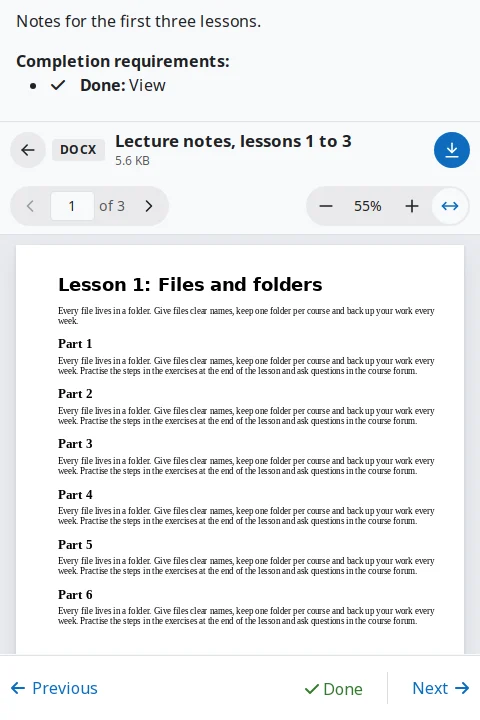
Certificatesmod_certstudio
Certificate Studio
Certificates as a course activity: a drag and drop designer, automatic or approved issuing, revocation and public verification with a QR code.
The theme styles its pages and shows the certificates of each learner next to their badges, on the profile, in the completion panel of a course and in a certificates widget.
In the Moodle Plugins directory Open in the Moodle Plugins directory
Details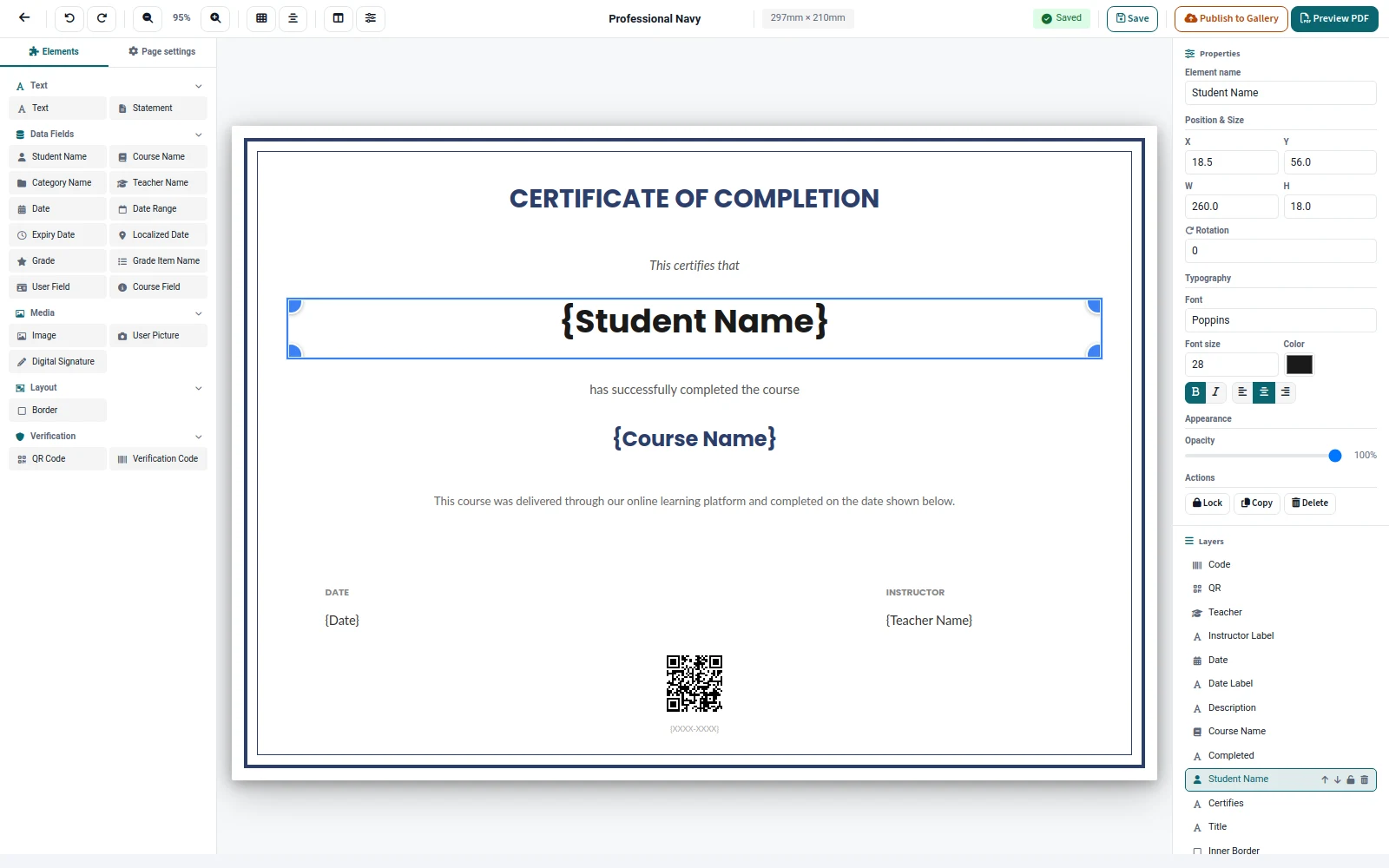
AI placementaiplacement_letstudy
Letstudy placement
Brings the AI features of the Letstudy theme under the AI settings of Moodle: one switch and one capability per feature, with every request sent through the AI subsystem of Moodle and its providers.
Each AI feature of the theme is turned on or off, also per role, from the AI settings of Moodle.
Coming soon to the Moodle Plugins directory
Details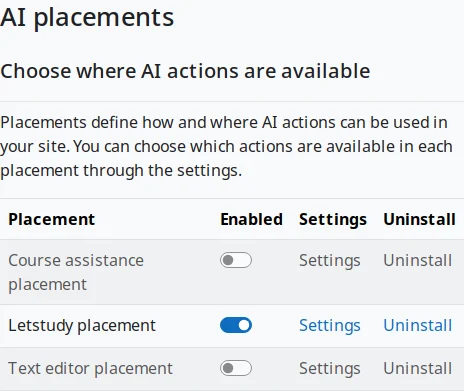
Reportreport_letstudypulse
Site pulse
One admin report with the pulse of the whole site: new users, enrolments, course completions, active users per day, users online now and the top courses, for the last 7, 30 or 90 days or custom dates, with charts and CSV downloads.
The report is linked from the site tab of the health check of the theme.
Coming soon to the Moodle Plugins directory
Details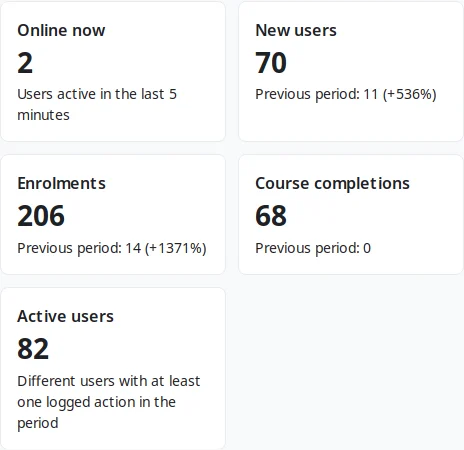
Message outputmessage_letstudypush
Browser push notifications
Delivers Moodle notifications and messages as standard Web Push to the browsers and installed web apps where each user turns push on, in Chrome, Edge, Firefox and Safari, with no account, no API key and no third party library.
Push notifications reach the browser and the installed app through the service worker of the app of the theme.
Coming soon to the Moodle Plugins directory
Details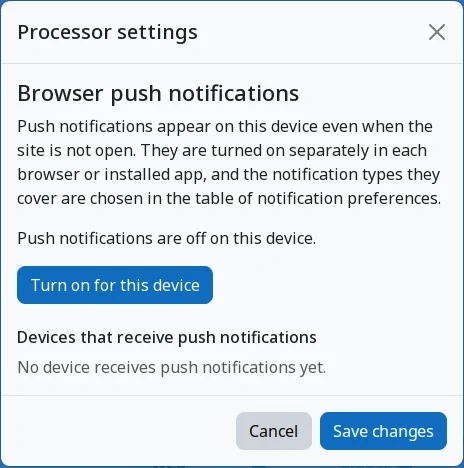
Message outputmessage_letstudydigest
Notification digest
Collects notifications and sends them as one email a day or a week, at the hour each user chooses in their own time zone, instead of one email per notification. Security notifications are never delayed.
The digest can wait until the quiet hours that each user sets in the theme are over.
Coming soon to the Moodle Plugins directory
Details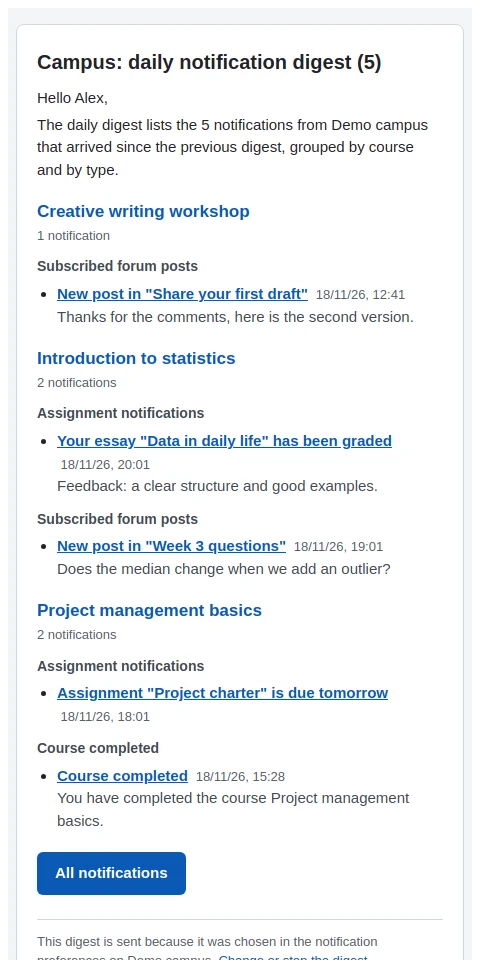
Paymentslocal_letstudycheckout
One-step checkout
A Buy button with the price that opens the core payment modal of Moodle in one step, on the enrolment and course summary pages. Visitors log in or sign up and come back to the same purchase. It works with Enrolment on payment, never enrols anybody by itself and stores nothing.
Its Buy button shows on the course presentation page and on the course cards of the theme.
Coming soon to the Moodle Plugins directory
Details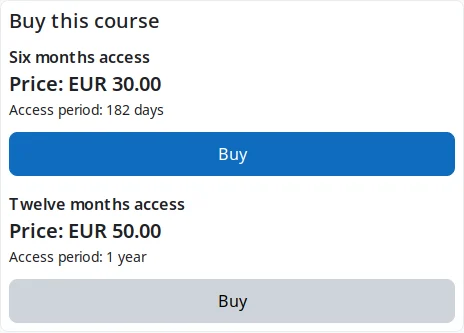
04features
Everything that comes in the box
Grouped by what they help with. Every feature is included in the free package, and the optional ones have their own switch.
Shapes, styles and skins
A skin is a shape, a style and your colours. Pick a ready skin or build your own, and preview any of them in your own session before anyone else sees it.
More 8Dashboard for learners
The first screen answers three questions: where was I, what is due, and what are my courses. Every piece of information shows once.
More 7Course pages
Course views that teachers choose per course, built into the theme, with the layouts of the Letstudy Course Format included.
More 9Tools for teachers
Less clicking around Moodle: what waits for you, who needs a follow up, and the dates of the whole course on one page.
More 5Community
Built on the forums, messaging and calendar of Moodle, so nothing is stored twice.
More 4Courses and enrolment
Help visitors choose a course with facts that come from Moodle itself, never typed in or invented.
More 6Mobile and offline
Made for the phone first: a bottom bar, a menu sheet and an installable web app.
More 12Setup and administration
Set up the theme in minutes, change it safely, and see the health of the site in one place.
More 7Privacy and compliance
Respect for the people who use the site is built in, not added later.
More 8Accessibility
Display preferences for every learner, checks for every teacher and the documents that public bodies ask for.
More 88All features, with a filter for learners, teachers and administrators
Open the directory05accessibility
Accessible by design, honest about it
Text size, spacing, contrast, reading profiles and a reading guide for every learner, accessibility and plain language checks for teachers, and an accessibility statement and a conformance report for the site.
More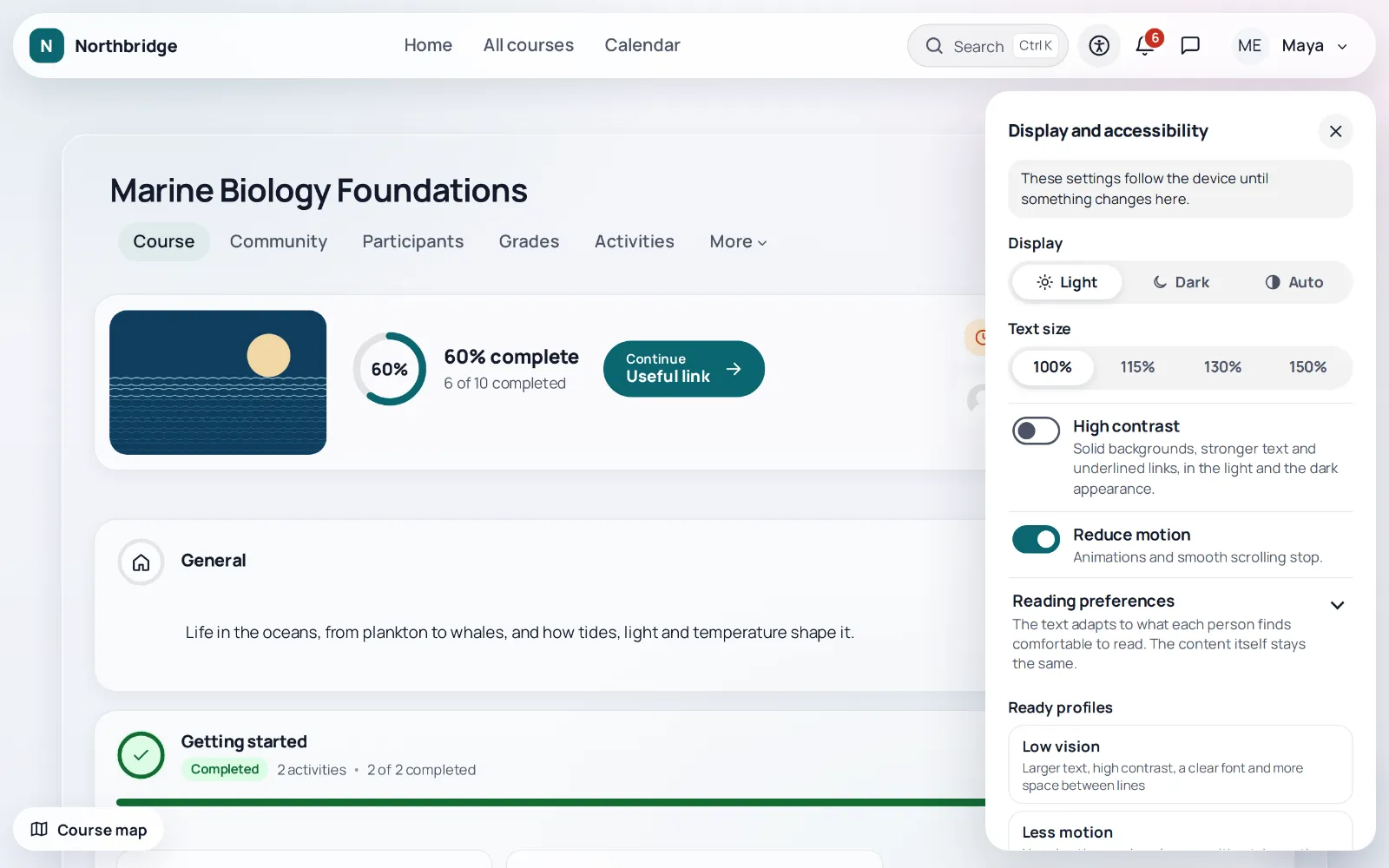
06open source
Free and open source, for every site
The whole theme and every plugin of the ecosystem, under the GNU GPL v3, with no trial period and no paid edition.
- No licence keysNothing to activate and nothing that stops working after a date.
- No paid featuresEverything in the package is enabled and free, for every site.
- Open sourceThe code can be read, changed and shared under the terms of the GPL.
Give Moodle a better shape.
The theme and its plugins are on their way to the Moodle Plugins directory, and a live demo follows.
live demo coming soon