
WCAG 2.2
Accessibility you can check
The theme is designed and checked against WCAG 2.2 level AA, for everything it adds to Moodle. Learners adjust the display, teachers get checks while they write, and site owners get the documents they are asked for.
01live demo
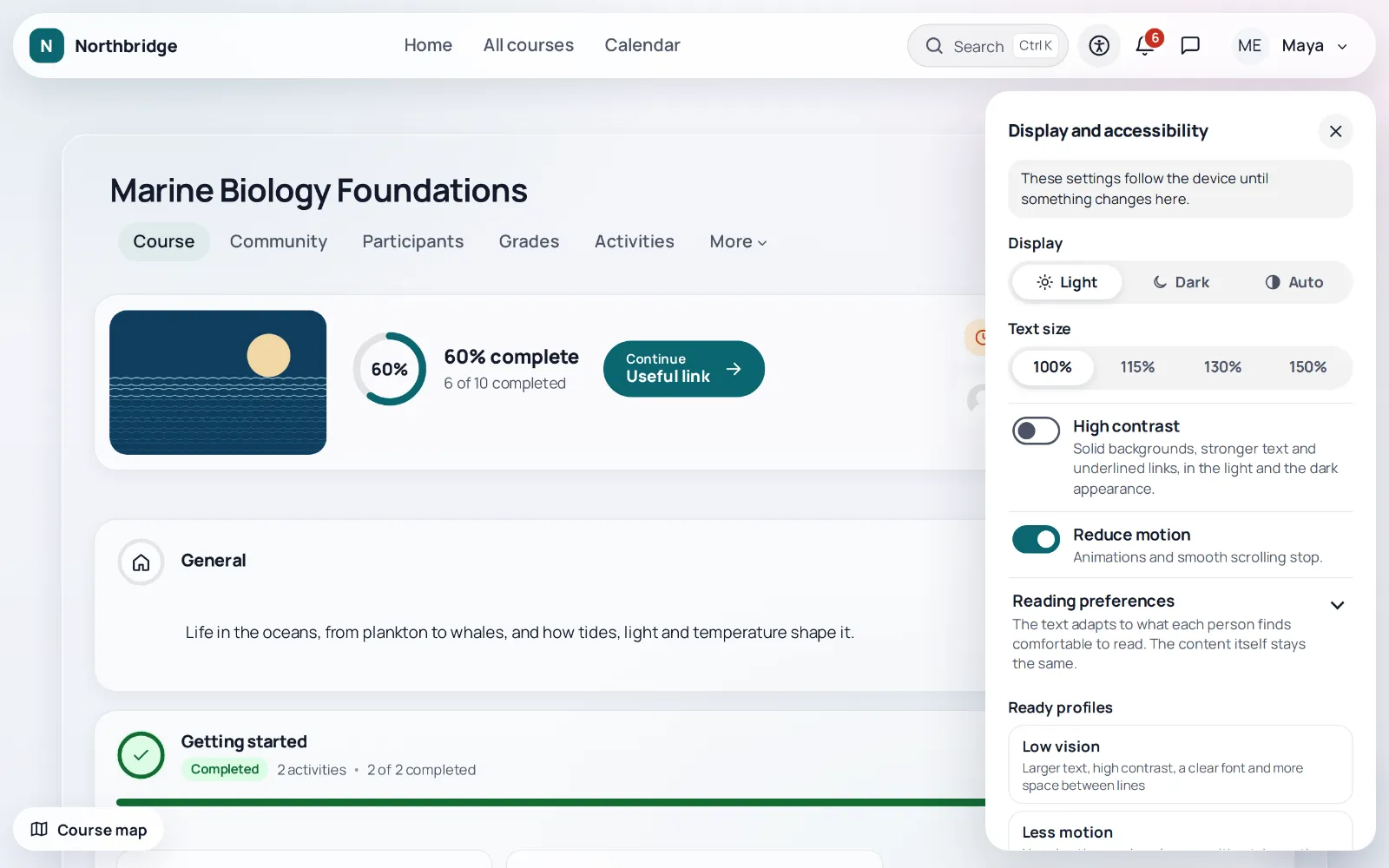
Try the display preferences
Display preferences
A demonstration on this page. In the theme the same preferences are saved for each user and apply to every page of Moodle.
Course page
Unit 2: Fractions in everyday life
A recipe for four people needs three quarters of a cup of flour. To cook for two, the amount is halved, which gives three eighths of a cup. In this unit learners practise such changes with short exercises and a quiz at the end.
Start the quiz02built in
Designed in, not added later
The panel of display preferences is on every page of the theme, and each choice is saved for the user.
Keyboard first
The shell, the panels, the Ctrl+K palette, the messenger and the course views work with the keyboard, and dialogs release focus with Escape.
Focus never hidden
A focused field is never hidden under a fixed bar, on every page and in every shape.
Contrast in the ready skins
The ready skins are checked by unit tests for 4.5:1 text contrast in light and dark, and forced colours are honoured.
Targets and motion
Icons and controls are at least 24 by 24 pixels, and a request for less motion on the device always wins.
03for every role
Tools for learners, teachers and the site
For every learner
Display preferences
Text size up to 200 %, line and letter spacing, contrast and reduced motion, saved for each user.
Ready profiles
Low vision, Less motion and Reading focus set several preferences in one click, with a cream or soft grey reading background.
Reading guide and calm reading
A line or a mask that follows the pointer or the focus, and a switch that hides everything that is not content.
For teachers
Course accessibility check
Missing alternative texts, skipped headings, vague links, tables without headers, low contrast and videos without captions, with a link to fix each one.
Plain language check
A quiet line under the editor points out very long sentences, long paragraphs and vague link texts, in Greek and in English. It runs in the browser.
Captions and abbreviations
A reminder to add captions when a video is uploaded, and the expansion of every marked abbreviation for every reader.
For the site
Statement and report form
An accessibility statement generator following Implementing Decision (EU) 2018/1523, and a form where anyone reports a problem.
Conformance report
An Accessibility Conformance Report in the VPAT 2.5 INT format, for what the theme adds to Moodle.
04honest
What we checked, and what we did not yet
- done
Automated axe-core runs at 1366 and 400 pixels, signed in and as guest, light and dark, and Behat scenarios with axe for every navigation layout and ready skin.
- done
Manual review of keyboard use, focus, reflow at 320 pixels, contrast, names and roles.
- not yet
A complete screen reader evaluation, an evaluation on every Moodle version and an independent audit. The report is a self assessment by the developers, not a certification.
- open item
Focus can leave the display preferences panel while it stays open.
05documents
Documents for public bodies
Accessibility Conformance Report
In the VPAT 2.5 INT format, for what the theme adds to Moodle, in the docs folder of the package.
WCAG 2.2 checklist
Every success criterion of levels A and AA mapped to the status of what the theme adds or restyles, also in the docs folder.
Statement and report form
An accessibility statement generator following Implementing Decision (EU) 2018/1523, and a form where anyone reports a problem.